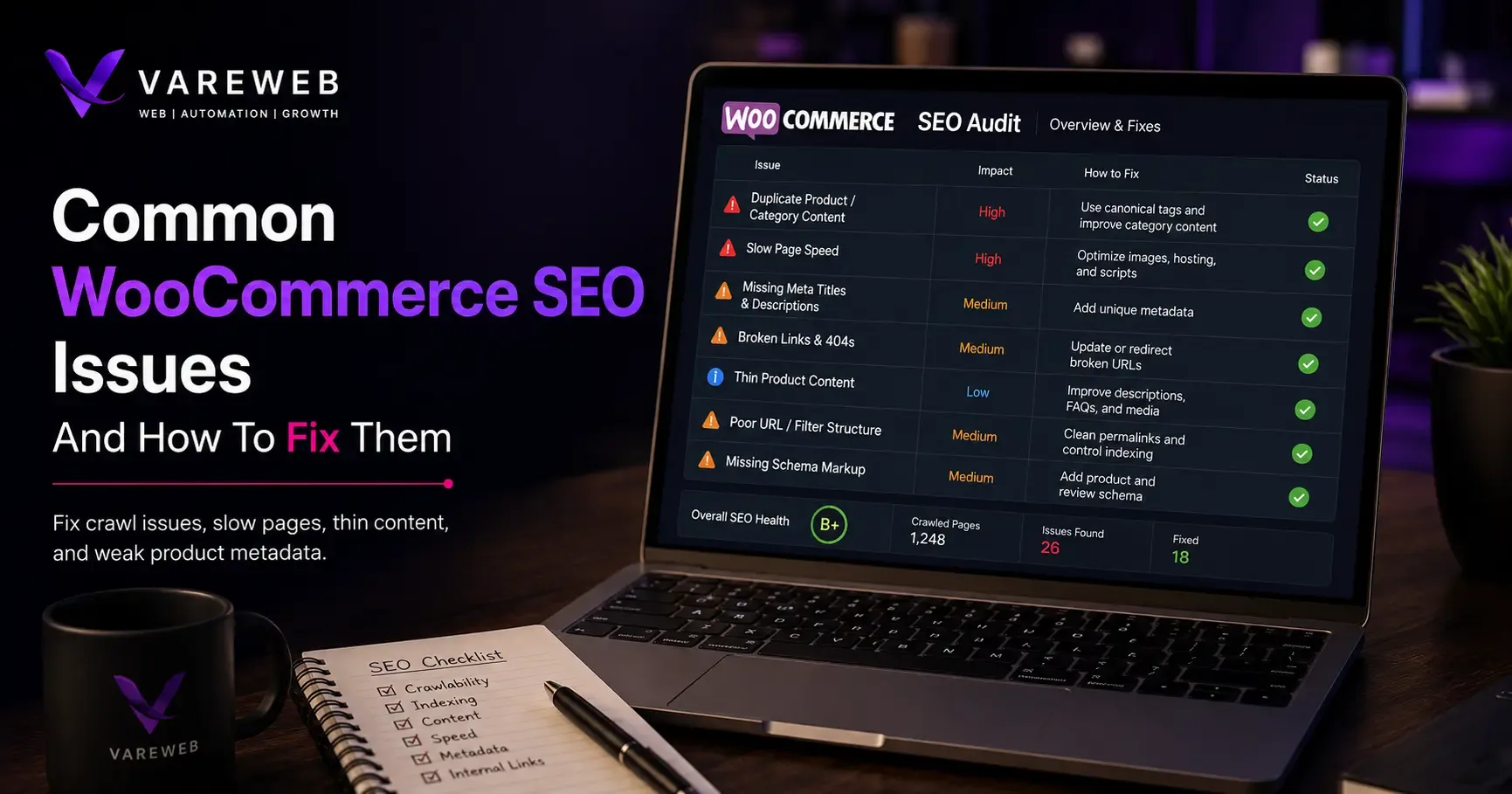
Quick Answer: Most WooCommerce SEO problems come from duplicate taxonomy and filter URLs, thin product or category content, plugin conflicts, slow hosting, heavy themes, incomplete schema, and poor crawl control. WooCommerce itself isn't bad for SEO - in fact, it provides extensive control over URLs, content, schema, and technical optimization. The challenge is that this flexibility creates more opportunities for SEO issues to develop unnoticed. Identifying the specific problem and fixing it properly is usually far more effective than considering a platform change.
I run into the same pattern constantly: a store owner installs Yoast or Rank Math, gets a wall of green checkmarks, and still can't explain why organic traffic sits flat. The plugin isn't lying - it's just answering a much narrower question than "is this store technically healthy." A green score tells you almost nothing about whether your collection URLs are duplicating themselves, whether Googlebot is burning crawl budget on filter combinations nobody searches for, or whether your caching plugin is quietly breaking add-to-cart on mobile.
WooCommerce runs a genuinely enormous share of the web's commerce - 48.1% of all the e-commerce systems that W3Techs tracks as of this year - and every one of those stores is a slightly different combination of hosting, theme, plugins, and configuration. That's the root of almost everything below. I've laid out a broader framework for weighing WooCommerce against other platforms in How to Choose the Right Ecommerce Platform for Your Business in 2026; this piece assumes you're already on WooCommerce and want to know exactly what's capping your rankings.
Why WooCommerce SEO Is Different
WooCommerce isn't a platform the way Shopify is a platform - it's a free plugin adding ecommerce functionality on top of WordPress, which means the final technical setup depends on several independent decisions: hosting, WordPress configuration, WooCommerce settings, theme templates, whichever SEO plugin you picked, whichever performance plugin sits on top of that, any filter or variation extensions, and any custom development layered over all of it.
That's why two WooCommerce stores selling nearly identical products can perform completely differently in search. One owner picked disciplined hosting, a lightweight theme, and one clearly-scoped SEO plugin. Another accumulated a page builder, three caching plugins fighting each other, and a theme generating its own conflicting schema. Same core software, wildly different technical health.
A short, honest Shopify comparison is worth making here without turning this into a platform-versus-platform piece - I've already written that version in Shopify vs WooCommerce in 2026: A Practical Decision Framework. Shopify standardizes hosting and infrastructure for you - removing a category of decisions and a category of ways to get them wrong. WooCommerce hands you deeper control in exchange for owning those decisions, which is exactly why WooCommerce Website Development Services exists as its own specialty. Neither platform automatically ranks better - what decides the outcome is whether the technical layer gets treated as seriously as the content layer, and WooCommerce has more moving parts to get right.
Not Sure Which of These 20 Apply to Your Store?
Most of these issues are invisible from inside WP Admin - they only show up in a crawl, in Search Console, or in your hosting logs. Vareweb runs a full technical audit across hosting, plugins, and schema before touching a single line of copy or code.
WooCommerce SEO Issues And Fixes - Quick Reference
A scannable version first, for reference while you work through your own store - full diagnostic detail for each one follows below.
|
# |
Issue |
Root Cause |
Fix |
|
1 |
Wrong pages indexed |
No clear noindex/robots split |
Noindex utility pages; keep priority pages crawlable |
|
2 |
Variation URL duplication |
Swatches/theme link every param combo |
Canonicalize to parent, or split only high-demand variants |
|
3 |
Faceted navigation traps |
Every filter combo gets its own URL |
Index real-demand combos only; noindex or canonical the rest |
|
4 |
Overlapping taxonomies |
Category, tag, and brand all cover one product |
Pick one taxonomy per intent; consolidate the rest |
|
5 |
Thin category pages |
Default template is a grid only |
Add real buying-guidance content above or below the grid |
|
6 |
Thin or copied descriptions |
Manufacturer feed pasted in unchanged |
Rewrite top-revenue products first, prioritize by impact |
|
7 |
Generic titles/metas |
Template-generated, never revisited |
Hand-write for priority pages first |
|
8 |
Weak image SEO |
Bulk imports skip alt text and filenames |
Descriptive filenames, contextual alt text, compression |
|
9 |
Slow hosting, plugin bloat |
Too many plugins, weak hosting |
Audit apps, upgrade hosting, configure caching correctly |
|
10 |
Structured data conflicts |
Theme and plugin both output schema |
One system owns each schema type |
|
11 |
Pagination/infinite scroll |
No crawlable URL underneath the scroll |
Keep paginated URLs crawlable with self-referencing canonicals |
|
12 |
Wrong sitemap URLs |
Multiple plugins each generate a sitemap |
One sitemap owner; canonical, indexable URLs only |
|
13 |
Mishandled OOS/discontinued |
Products deleted on every restock cycle |
Keep live if temporary; redirect or archive if permanent |
|
14 |
Permalink/redirect chains |
Permalink changed with no redirect map |
One-to-one 301 redirect map before publishing |
|
15 |
Weak internal linking |
Blog and catalog built separately |
Deliberate hub-and-spoke linking structure |
|
16 |
Plugin SEO conflicts |
Multiple plugins own the same function |
One clear owner per function |
|
17 |
Weak mobile experience |
Theme designed desktop-first |
Match content and schema across desktop and mobile |
|
18 |
International signal conflicts |
Hreflang missing or non-reciprocal |
Reciprocal hreflang; region-specific canonicals |
|
19 |
Misused reviews |
Schema doesn't match visible reviews |
Moderate spam; keep schema and display in sync |
|
20 |
Rankings tracked, not outcomes |
No link between Search Console and revenue |
Track category-level product and revenue metrics |
The 20 Issues I Keep Finding, and How to Fix Each One
1. Search Engines Are Indexing the Wrong Pages
Cart, checkout, account pages, internal search results, session parameters, and thin tag archives all quietly end up indexed alongside your real product pages - sometimes an entire staging subdomain too. It happens because robots.txt, meta noindex, canonical tags, and password protection solve different problems, and I regularly find one used where a different one was needed - a robots.txt block on a URL that also carries a noindex tag Google never gets to read, because the crawl was blocked before it could see the directive.
Fix it: Pull Search Console's Pages report and compare it against the URLs you actually want ranking. Noindex utility pages following Google's own indexing guidance rather than guessing which mechanism does what, and keep every valuable page out of robots.txt entirely - noindex only works if Google can reach the page to read it. Don't blanket-disallow every questionable URL as a first move.
2. Product Variations Create Duplicate or Confusing URLs
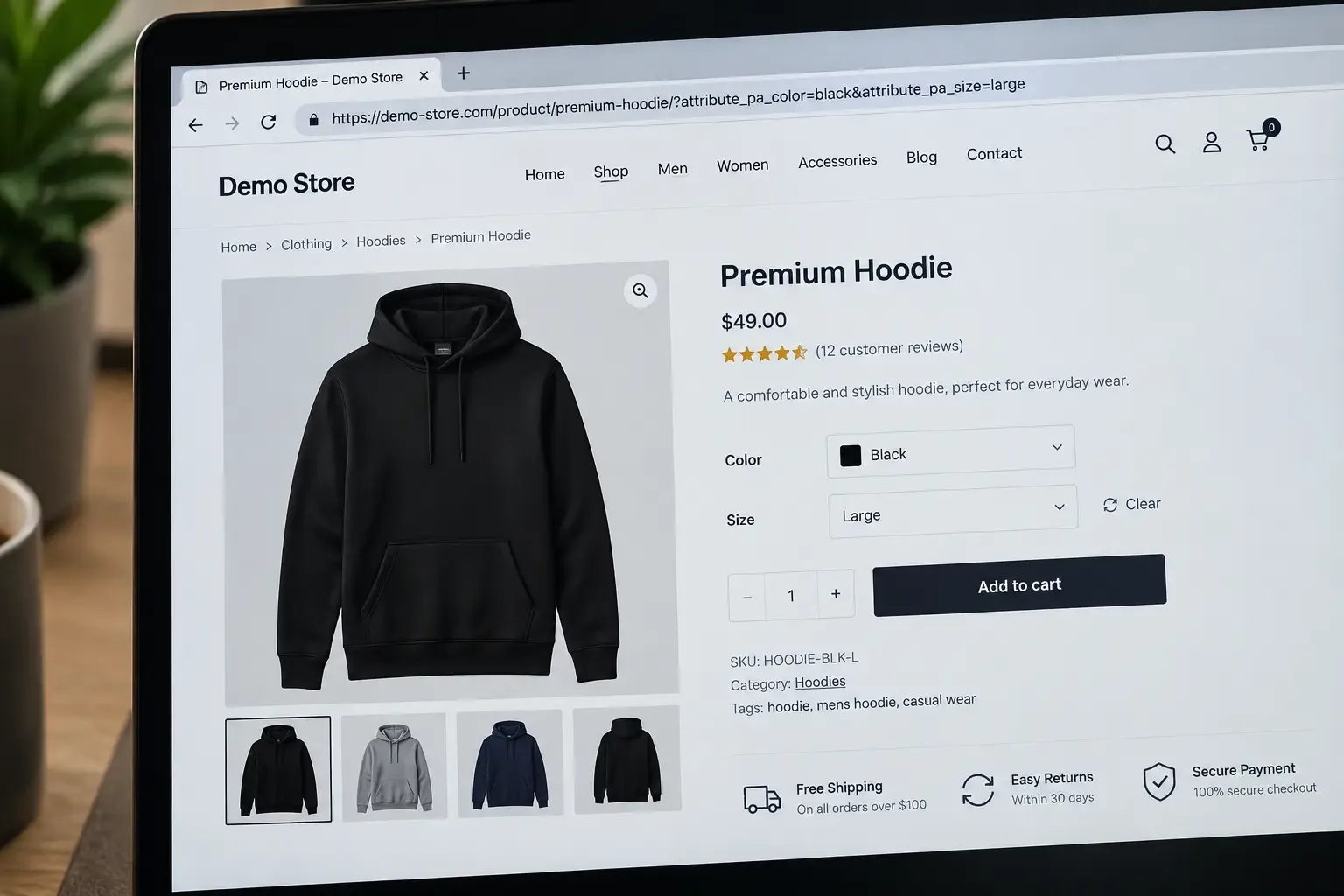
A shirt in three colors and four sizes can generate a dozen near-identical parameterized URLs like /product/cotton-shirt/?attribute_pa_colour=blue&attribute_pa_size=medium. Variable products aren't inherently a problem - it starts when your theme links directly to every combination, a swatch plugin renders each variant as its own listing, or canonical tags are missing or wrong.
Fix it: Use the consolidated strategy when variations don't carry independent search demand. Reserve separate landing pages only for variations with genuine demand, distinct content, unique images, and their own inventory. Check Google's ecommerce URL guidance and WooCommerce's own variable-product documentation directly, and for variant-level schema, Schema.org's ProductGroup, hasVariant, and variesBy properties are what Google actually expects.
3. Faceted Navigation Creates Crawl Traps
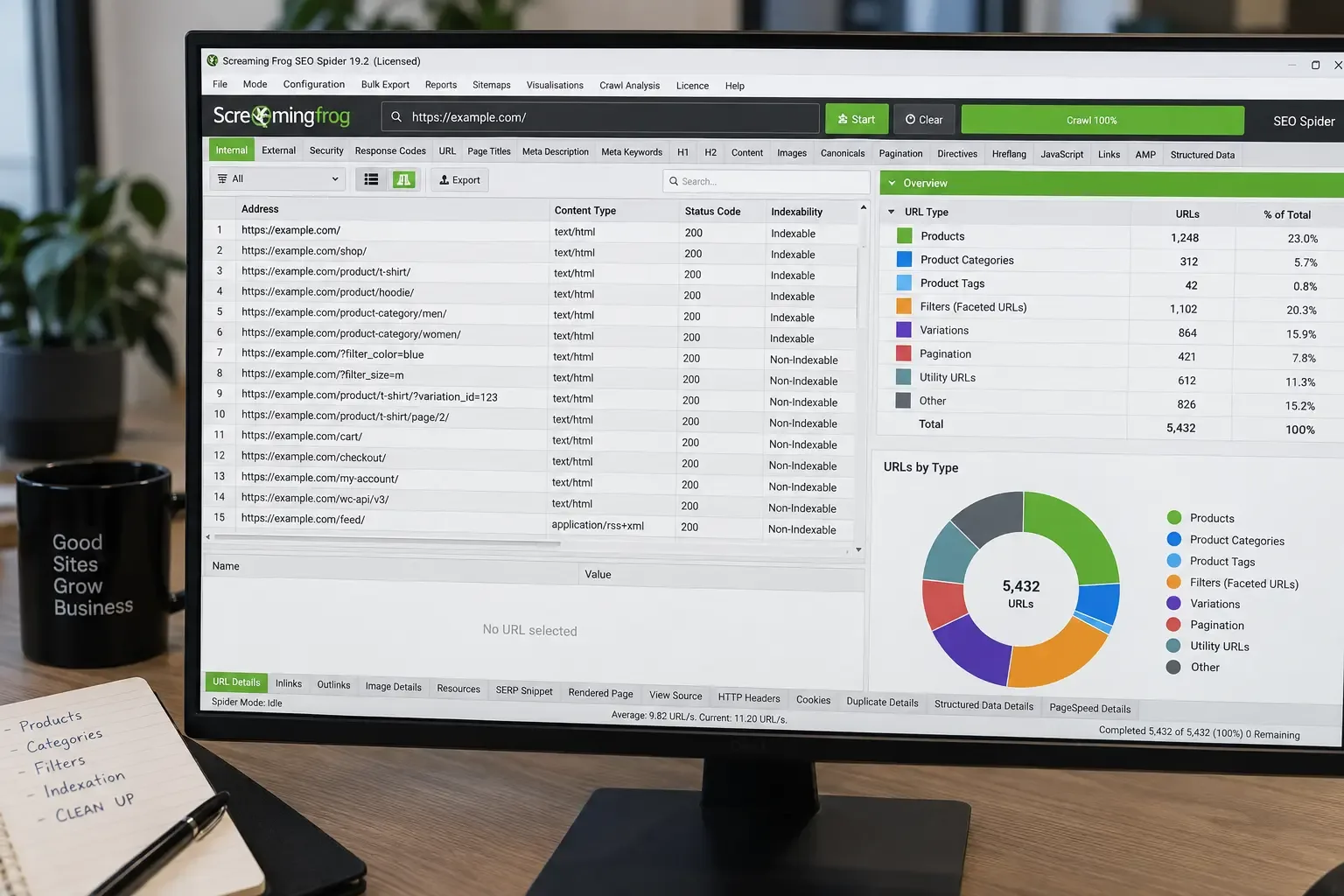
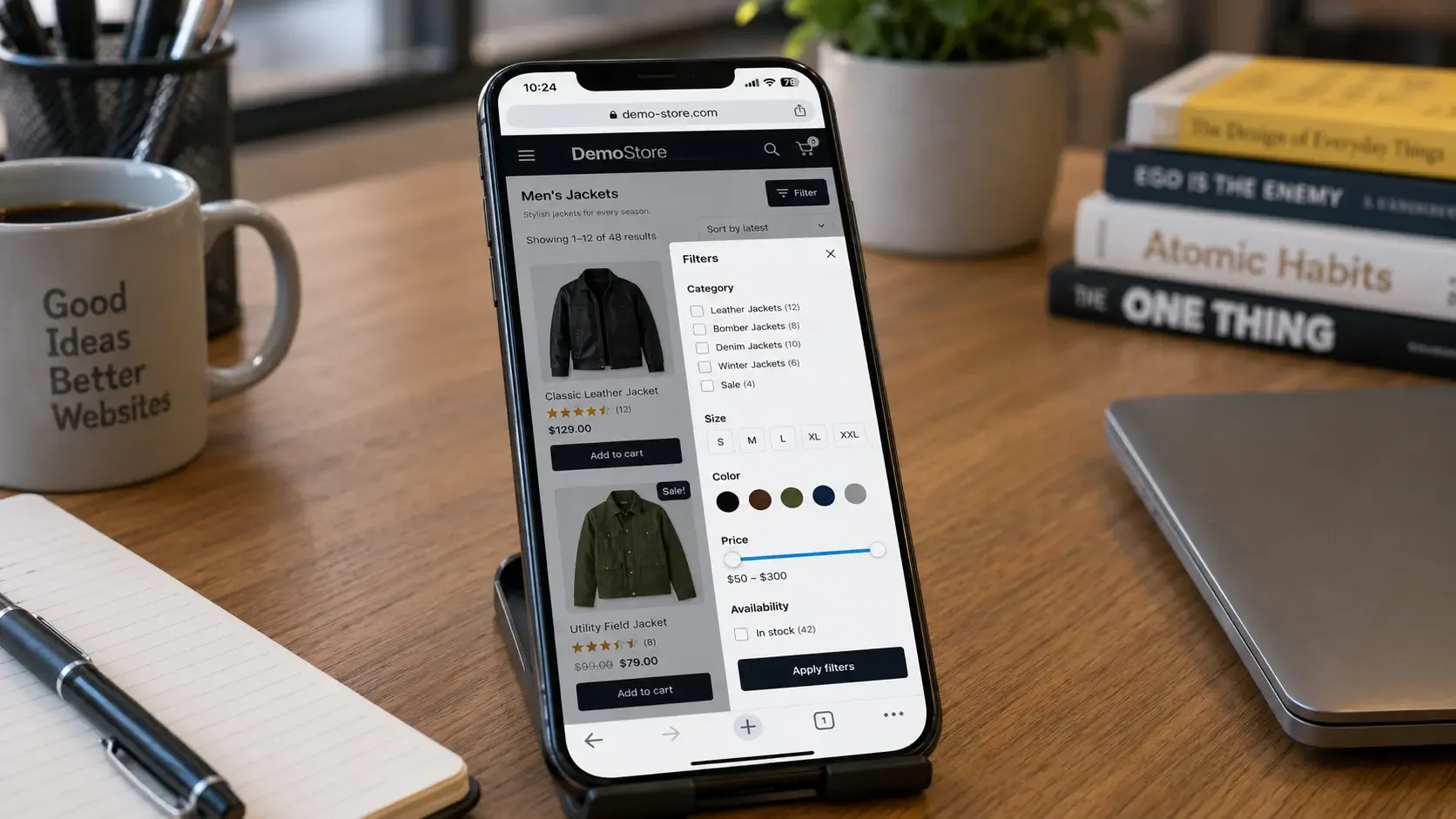
Filters for price, color, size, and brand generate URLs like ?filter_color=black or ?min_price=50&max_price=100, and every combination is technically crawlable. A catalog with eight filterable attributes can spin off thousands of near-duplicate URLs, and Googlebot spends real crawl budget on them instead of your actual products.
Fix it: Sort filter URLs into three groups. Real demand ("black leather office chairs") gets a dedicated, indexable page with its own copy and self-referencing canonical. Useful-but-not-searchable combinations stay functional for shoppers but out of the index via canonicals or noindex. Invalid combinations return a genuine 404, not a redirect to a generic category. Google's faceted navigation guidance covers this decision in more depth than most plugin docs do.
4. Taxonomies Generate Thin and Overlapping Archives
The same product can appear across a category, a tag, a plugin-added brand taxonomy, and a standard WordPress tag - several near-identical archives all competing for the same intent. Nothing stops a store from accumulating five ways to slice one catalog with none of them clearly designated as the page that should rank.
Fix it: Decide deliberately which taxonomy owns each intent. Keep categories with real shopping demand, invest in specific attribute pages only where volume justifies it, consolidate or noindex the weak overlaps, remove empty terms, and write unique titles and intro content for whichever page wins. Don't noindex every attribute page reflexively - some genuinely earn a place when they match real demand.
5. Category Pages Are Only Product Grids
A grid of thumbnails, names, and prices - nothing else - because most WooCommerce themes are built to display products efficiently, not explain them. That leaves nothing for Google to match against a category-level query beyond the H1.
Fix it: Add content that explains what the category contains, who it's for, and the criteria that matter when choosing between options. I go deeper on structure in How to Optimize Ecommerce Category Pages for SEO in 2026. There's no universal word count - length should match decision complexity, not a target. Add real subcategory navigation, breadcrumbs, and internal links while you're in there.
6. Product Descriptions Are Thin or Copied
Manufacturer copy pasted in unchanged, identical across dozens of other stores. Duplicate content doesn't trigger an automatic Google penalty - the real problem is competitive, not punitive. If twenty stores carry the same description, you've given nobody a reason to prefer yours.
Fix it at scale: Prioritize revenue first, then products with impressions but few clicks, then near-miss rankings, then high-margin items. A template keeps descriptions structurally consistent without making them identical, but human review stays mandatory - this is exactly the prioritization ecommerce-specific SEO work is built around. Don't pad every SKU with filler just to hit a word count.
Manufacturer Copy Won't Outrank Anyone
Rewriting descriptions and category copy for hundreds of SKUs is exactly the kind of prioritized, revenue-first work our Ecommerce SEO team handles - starting with your highest-impact pages, not your whole catalog at once.
7. Titles and Meta Descriptions Are Generic or Duplicated
The store name eating most of the title, product titles that are just a SKU, or two competing plugins each outputting their own title tag - usually because theme defaults and SEO plugins both generate metadata from templates nobody overrides.
Fix it: Work from adaptable patterns, not rigid formulas - [Product name] - [Key attribute] | [Brand] for products, Shop [Category] for [Use Case] | [Brand] for categories. Write these by hand for your highest-opportunity pages first; the templated fallback is a floor, not a finished state.
8. Product Images Are Hurting Search Visibility and Speed
Missing alt attributes, keyword-stuffed alt text repeated across every angle, filenames like IMG_4389.jpg, oversized images, and layout shift from missing dimensions - because bulk imports rarely include meaningful metadata and nobody circles back to fix five hundred images individually.
Fix it: Alt text should describe what's visible, in context - "Black men's trail-running shoe with reinforced toe," not keyword stuffing. Decorative images get an empty alt attribute. Use descriptive filenames, responsive srcset, modern compressed formats, explicit width and height, and treat your LCP image and gallery images as separate loading priorities. Google's image SEO documentation is worth reading directly rather than trusting plugin defaults.
9. Slow Hosting, Heavy Themes, and Plugin Bloat
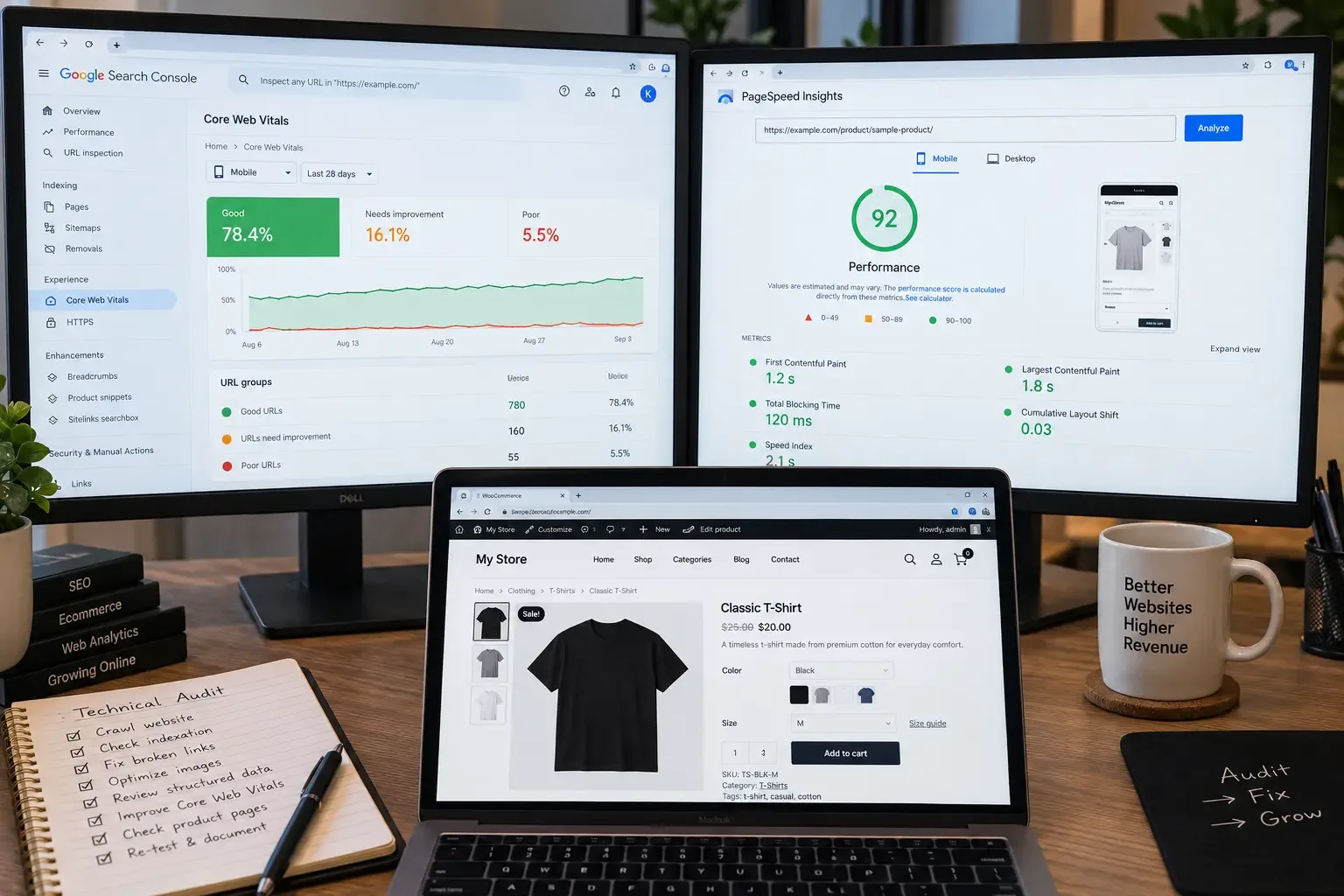
Performance here is rarely one thing - shared hosting with slow TTFB, no caching, inefficient queries, too many active plugins each loading assets on every page, a heavy page-builder theme, review widgets, chat tools, and cart-fragment requests firing on pages with no cart activity. Current field data makes the scale concrete: just 6.3% of active WooCommerce stores pass all three Core Web Vitals in real-user Chrome data, and that's among stores with complete data - the true failure rate is likely higher across the full ecosystem.
|
Metric |
Good threshold |
Usual WooCommerce cause |
|
LCP |
≤ 2.5s |
Main image, server response time, web fonts |
|
INP |
≤ 200ms |
Add-to-cart, variation selectors, filter scripts |
|
CLS |
≤ 0.1 |
Galleries, consent banners, unset image dimensions |
Fix it, roughly in order: improve hosting where it's the real bottleneck, remove unused plugins, replace a bloated theme where justified, configure caching correctly, optimize the database, compress media, defer non-critical JavaScript, add a CDN where it helps. I go deeper in How Important Is Page Speed for SEO in 2026?. One warning specific to WooCommerce: aggressive caching or JS-delay settings can silently break cart totals or payment fields - conversion testing after every change isn't optional.
Plugin Bloat and Weak Hosting Are Costing You Rankings
Vareweb's WooCommerce development team audits every plugin, fixes caching that silently breaks cart totals, and rebuilds heavy themes for real Core Web Vitals - not just a green Yoast checkmark.
10. Structured Data Is Missing, Incomplete, or Duplicated
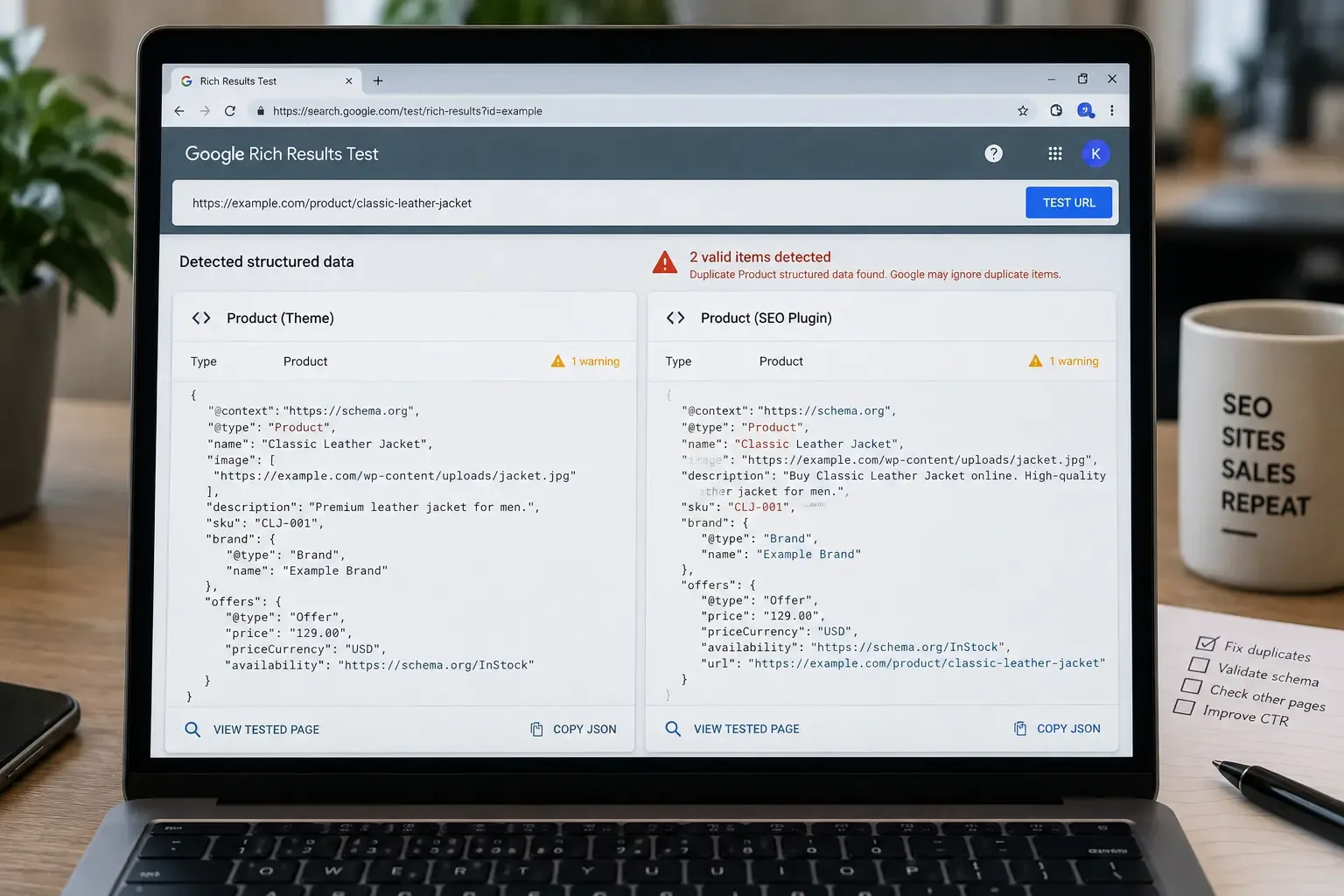
Two Product entities on one page, conflicting prices between visible content and schema, or breadcrumb schema disagreeing with the visible trail - because your theme, SEO plugin, and a review plugin can all generate structured data independently with nothing coordinating between them.
Fix it: Assign exactly one system to own each schema type - Product, Offer, AggregateRating, BreadcrumbList - and turn generation off everywhere else. Data has to agree with what's visible, your live inventory, and your canonical URLs. I've covered how this connects to templates in How Schema Markup and Web Design Work Together. Validate with the Rich Results Test and be clear that valid markup creates eligibility, not a guarantee - check Google's product structured-data documentation directly rather than a plugin's marketing claims.
11. Pagination or Infinite Scroll Hides Products
A category with 400 products where the visible page shows 24 and the rest load only through infinite scroll with no crawlable link underneath. Googlebot doesn't scroll or click load-more - without an href, it only sees the first batch.
Fix it: Every paginated page needs its own real URL. Don't canonicalize every page back to page one - that tells Google the deeper pages don't exist. Use genuine crawlable links and self-referencing canonicals. If using infinite scroll for UX, support it with persistent, discoverable paginated URLs underneath. Google's pagination guidance covers the pattern in detail.
12. XML Sitemaps Contain the Wrong URLs
A sitemap listing products that no longer exist, noindexed URLs, redirects, 404s, and filter parameters - often because two plugins are each generating their own sitemap simultaneously and nobody reconfigured it after a migration or restructure.
Fix it: Pick a single sitemap owner. Exclude utility and duplicate pages deliberately. Submit in Search Console, and periodically compare submitted, indexed, and excluded counts - a sitemap should contain only canonical, indexable, final-status URLs.
13. Out-of-Stock and Discontinued Products Are Mishandled
A seasonal store deletes every out-of-stock product and loses URLs that had already earned links and rankings, rebuilding from zero next season. Deleting feels tidy but throws away every ranking signal with no way to get it back.
Fix it: Separate temporary from permanent. Keep temporarily unavailable products live with updated availability, schema, and alternatives. For permanent discontinuations, look at existing rankings and traffic before deciding: archive with alternatives, redirect to a genuinely close replacement, redirect to the relevant category, or return a proper 404/410. Don't mass-redirect to the homepage - an irrelevant target reads like a soft 404.
14. Permalink Changes and Redirect Chains Damage Existing Equity
A store changes its permalink structure and watches rankings drop within weeks, because changing that setting is a migration, not a cosmetic adjustment, even though it lives in a simple admin screen.
Fix it safely: Export every existing URL first. Build a genuine one-to-one redirect map, not a blanket rule. Update internal links, canonicals, and sitemaps. Update Merchant Center and ad destinations. Flatten redirect chains to a single hop. Crawl old and new URL sets, then monitor Search Console closely. I've laid this out in more detail in How to Migrate Your Website Without Losing SEO Rankings. Don't change the /product/ base casually without checking for routing conflicts first.
15. Internal Linking Does Not Reflect Commercial Priorities
Products reachable only through search or a filter combination, with no menu, category, or blog link pointing to them - genuinely orphaned pages, usually because catalogs and blog content get built by different people on different timelines.
Fix it: Build a deliberate hierarchy - homepage to primary categories, categories to priority products, products back to their parent category, buying guides out to categories and products. Use descriptive anchor text, not "click here." This is fundamentally a site-architecture decision; I go deeper in Why Website Structure Matters for SEO and User Retention.
16. Multiple Plugins Are Fighting Over SEO Output
Two canonical tags on one page, duplicate schema, conflicting robots directives, redirect loops - symptoms that look random until you realize two plugins are trying to own the same job, easy to accumulate across ownership or agency changes.
Fix it: Build a responsibility map - one plugin owns titles, one owns canonicals, one owns sitemaps, one owns schema, one owns redirects, one owns caching. Every function gets exactly one owner. Don't disable plugins on a live store without staging, a backup, and a full checkout test afterward.
Twenty Issues Is a Lot to Untangle Alone
Conflicting plugins, duplicate schema, and broken redirect maps compound quietly. Our team assigns one clear owner to every SEO function - canonicals, schema, sitemaps, redirects - so nothing fights itself anymore.
17. Mobile Product Experience Is Weaker Than Desktop
Content stripped out on mobile, cramped variation selectors, a filter drawer that's hard to use with a thumb, sticky elements covering add-to-cart - because themes are frequently designed desktop-first. Google indexes mobile content, so anything trimmed there is effectively invisible to Google.
Fix it: Confirm primary content, schema, headings, and links are genuinely consistent between desktop and mobile, not just visually similar. Treat this as both SEO and conversion, since they're rarely separable on WooCommerce. I've covered the layout decisions that support this in 10 Best UI/UX Design Tips for Good Core Web Vitals.
18. International WooCommerce Stores Send Conflicting Signals
No hreflang at all, or an implementation that isn't reciprocal, or a canonical setup pointing every regional page back to one country - because multi-region setups are usually assembled from several plugins with hreflang falling through the gap between them.
Fix it: Give every regional version a stable, crawlable URL. Make hreflang reciprocal - every alternate references every other, including itself. Keep canonicals within the region meant to rank. Avoid forcing IP-based redirects a crawler can't follow. Localize beyond currency - terminology, delivery, sizing - and keep visible data, schema, and feeds synchronized.
19. Reviews and User-Generated Content Are Misused
Review schema present with no visible reviews, imported or fake-looking reviews, or an aggregate rating in markup that doesn't match what's displayed - usually because a review plugin got enabled as a checkbox without confirming it stays synchronized with the page.
Fix it: Genuine reviews add real value - originality, specificity, trust - but they're not a mechanical ranking hack, and schema should never claim data that isn't visibly present. Moderate for spam and confirm aggregate ratings match what a visitor actually sees.
20. Teams Measure Rankings but Not Ecommerce Outcomes
A monthly report shows rankings and sessions climbing, presented as a win, with nobody checking whether that traffic reached a product page or converted. Rankings are the easiest number to pull; connecting search behavior to revenue takes deliberately joining Search Console with actual ecommerce analytics.
Fix it: Track clicks, impressions, and CTR alongside Merchant listing errors, Core Web Vitals, add-to-cart rate, checkout progression, and revenue - by category, not just aggregate. A better question than "is traffic up" is whether the correct landing pages grew and whether high-margin categories specifically gained visibility.
Which WooCommerce SEO Issues Should You Fix First?
Fixing these in the wrong order wastes effort. Here is the sequence that actually holds up:
|
Priority |
Focus |
Examples |
|
1 |
Accessibility & indexability |
Accidental noindex, robots.txt errors, exposed staging, broken canonicals, server errors |
|
2 |
Duplication & crawl control |
Faceted-navigation traps, variation duplication, thin taxonomies, wrong sitemap contents |
|
3 |
Revenue-page quality |
Primary categories, best-sellers, titles, descriptions, internal linking, images |
|
4 |
Performance & UX |
Hosting, caching, theme weight, plugin overhead, Core Web Vitals, mobile usability |
|
5 |
Enhanced search visibility |
Product/variant schema, Merchant Center accuracy, genuine reviews, AI-readiness |
Priority 1 overrides everything else - nothing downstream matters if Google can't reach the page. Priority 4 moves up to Priority 1 if pages or checkout are actually failing, not just loading slowly. Priority 5 is where eCommerce Web Development Services Built to Sell, Rank, and Get Cited by AI earns its name - the layer separating a store that ranks from one that gets cited and trusted.
How I Audit a WooCommerce Store
- Confirm the live domain, preferred protocol, and canonical hostname.
- Review Search Console's indexing, performance, Core Web Vitals, and shopping reports.
- Compare indexable URLs against XML sitemap URLs.
- Crawl the store as a search engine would, and separately navigate it as a shopper would.
- Group URLs by type - products, categories, tags, filters, pagination, utility, parameters.
- Review titles, canonicals, robots directives, and status codes per group.
- Test internal linking depth from the homepage to each priority page.
- Review product and category content quality directly, not just an SEO plugin score.
- Inspect images, alt text, filenames, and loading behavior.
- Validate Product, Merchant Listing, and breadcrumb schema against what's visible.
- Test product, category, cart, and checkout performance specifically.
- Review themes and plugins for duplicate functions and overhead.
- Check how out-of-stock and discontinued products are handled.
- Review Merchant Center consistency if the store runs feeds.
- Prioritize findings by organic impact, revenue importance, and effort.
- Re-crawl and re-test actual transactions after fixes ship.
That last step matters more than it sounds. Testing cart, variation, and checkout behavior is part of SEO quality assurance on an ecommerce store, not a separate concern.
AI Search and 2026 Discovery
AI visibility doesn't come from bolting a few artificial FAQ blocks onto a product page. It comes from the same fundamentals that make a page genuinely useful to a person, expressed so a machine can parse it reliably: clear product names, consistent brand entities, accurate specs, stable canonical URLs, visible price and availability, genuine reviews, well-structured headings, and complete structured data.
Every issue above feeds directly into this. A page with a duplicated URL, thin content, or conflicting schema is exactly as hard for an AI system to interpret as it is for a traditional crawler to index. Strengthening the fundamentals in this guide is the actual work behind AI-search readiness - there's no separate shortcut.
Practical Checklist
☐ Are important products and categories indexable?
☐ Are cart, checkout, account, and utility pages excluded appropriately?
☐ Do filtered URLs have a deliberate crawl and indexation strategy?
☐ Do product variations follow a clear consolidated or separate-page strategy?
☐ Are category pages more useful than a bare product grid?
☐ Are product descriptions original and decision-focused?
☐ Are titles and meta descriptions unique on priority pages?
☐ Are product images compressed, responsive, and accurately described?
☐ Are plugins loading assets only where actually needed?
☐ Is hosting genuinely suitable for the catalog and traffic level?
☐ Is there exactly one owner for canonicals, schema, sitemaps, and redirects?
☐ Does product schema match visible prices, availability, and reviews?
☐ Are paginated pages crawlable through standard links?
☐ Does the XML sitemap contain only canonical, indexable URLs?
☐ Are out-of-stock and discontinued products handled deliberately?
☐ Have all permalink changes been redirected with a real one-to-one map?
☐ Can every priority product be reached through internal links alone?
☐ Does the mobile page carry the same primary information as desktop?
☐ Are international URLs, canonicals, hreflang, and feeds aligned?
☐ Have changes been tested on real product, cart, and checkout journeys?
Frequently Asked Questions
Is WooCommerce bad for SEO?
No. WooCommerce gives more technical and content control than most closed platforms - a genuine advantage when used deliberately. The trade-off is that the same flexibility creates more places to go wrong, which is why performance varies so much store to store.
Is WooCommerce better than Shopify for SEO?
Neither platform automatically wins. WooCommerce offers deeper control over URLs and content architecture; Shopify offers more consistency with less setup risk. Execution matters far more than the platform label.
Do I need an SEO plugin for WooCommerce?
A good plugin handles useful groundwork - sitemaps, metadata fields, basic schema. It doesn't touch faceted-navigation strategy, variation architecture, or hosting performance. Treat it as one tool in the stack, not a replacement for this guide.
Which WooCommerce pages should be noindexed?
Cart, checkout, account, internal search, and most thin tag or filter archives - but confirm each individually rather than applying a blanket rule.
How should product variations be handled for SEO?
Consolidate into one canonical page when variations lack independent demand. Only build separate indexable pages for variations with genuinely distinct demand, content, and inventory.
Should filtered product pages be indexed?
Only combinations with real, individual search demand. Everything else stays crawlable for shoppers but out of the index via canonicals or noindex - not a robots.txt block, which can hide the directive you're relying on.
Why is my WooCommerce store slow?
Usually some combination of weak hosting, no proper caching, too many plugins, and a heavy theme. Test product, category, cart, and checkout pages separately - a fast homepage tells you little about the rest.
Should I delete out-of-stock product pages?
Not automatically. Temporarily unavailable products should usually stay live with updated availability. Permanently discontinued ones deserve a real decision based on existing rankings and traffic, not a blanket delete rule.
How often should I audit a WooCommerce store?
A full audit every six months, or after a theme change, plugin overhaul, permalink change, or migration. A lighter monthly Search Console check catches most problems before they compound.
Can valid product schema guarantee rich results?
No. Valid structured data creates eligibility for an enhanced result - it doesn't guarantee Google will display one.
Ready to Fix What's Capping Your WooCommerce Rankings?
Vareweb builds and fixes WooCommerce stores end to end - technical SEO, content, and the development work underneath it. One team, accountable for the whole result.

Written by
Kashaf
Kashaf is a veteran SEO specialist with deep expertise in AI SEO, generative engine optimization, ORM, web strategy, and marketing automation. With a Master's in Computer Science, he blends search strategy with technical insight into websites, automation workflows, and AI-driven platforms, helping brands dominate traditional search while adapting to the future of AI-powered discovery.