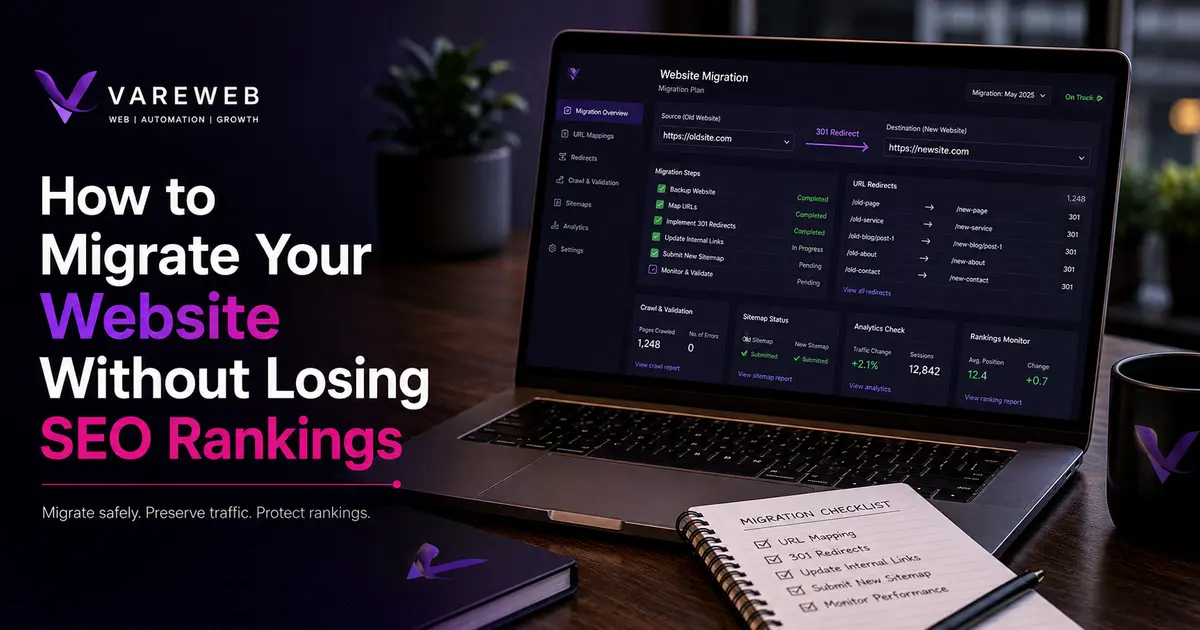
| Quick Answer: You can migrate or completely redesign your website without losing rankings - but only if you treat it as a structured SEO operation, not a design launch. The redesign itself does not destroy rankings. Missing redirects, removed content, broken internal links, and unmonitored launches do. Process is everything. |
Sites built six or seven years ago are showing their age. Slow on mobile, inaccessible on smaller screens, and not structured in a way that satisfies modern ranking signals or AI-powered search features. The case for a redesign or platform upgrade in 2026 is legitimate. The danger is assuming the upgrade handles itself once the design is approved.
The data is blunt. Between 60 and 80 percent of site migrations result in measurable organic traffic loss. Only about 1 in 10 migrations end with improved rankings. The average recovery time after a migration gone wrong is 523 days - and 17 percent of sites in that study never recovered their pre-migration traffic levels at all.
Real-world cost: One large UK retailer lost an estimated £3.8 million in the first month after its IT team rejected the SEO team’s redirect recommendations during a redesign. The traffic came back - partially - months later. The revenue didn’t.
I’ve seen this on both ends. I’ve managed migrations that came out clean. I’ve also been called in to fix projects already bleeding three weeks post-launch - no redirect map, no baseline, a dev team telling the client to ‘give it time.’ The cost of fixing a broken migration is always higher than the cost of planning one properly. Understanding why web design and SEO are deeply interconnected is the starting point for any migration that doesn’t end in recovery mode. This guide gives you the process to migrate without handing Google back everything you’ve spent years building.
Steps To Migrate Your Website Without Losing SEO Rankings
Step 1: Pull Your Baseline Before Anyone Opens a Mockup
You cannot protect what you haven’t measured. Most migration projects skip this.
Before a staging environment is spun up, before a single design file is shared - pull your data:
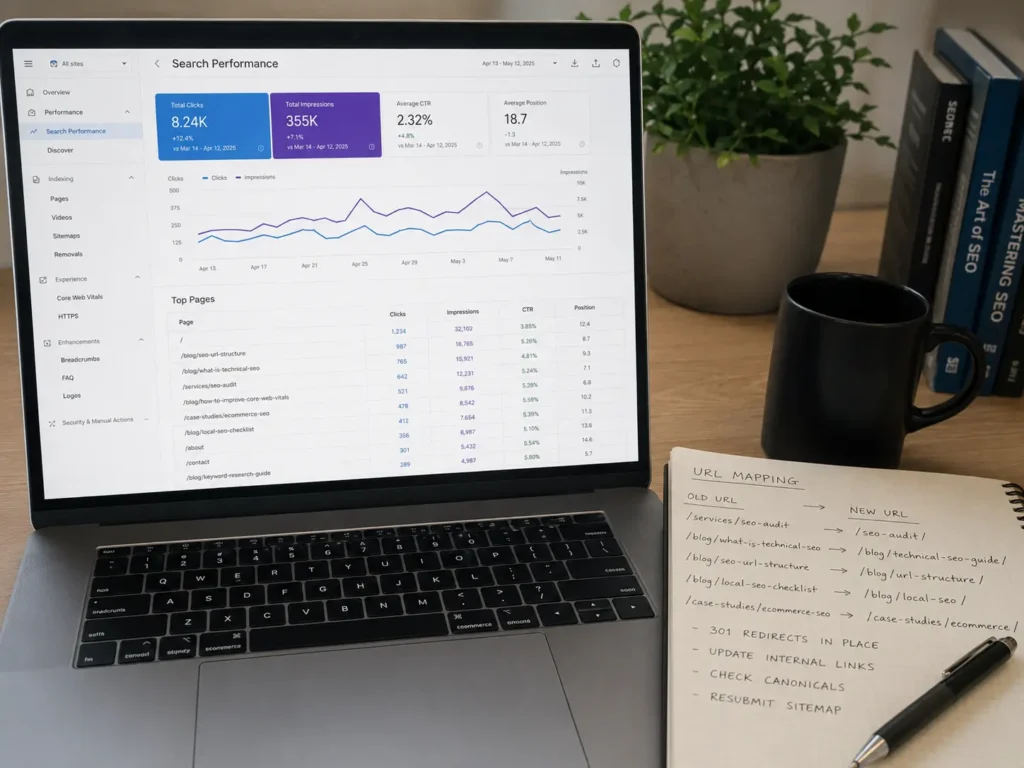
- Export your top-performing pages from Google Search Console - clicks, impressions, average position, filtered to the last 90 days. This list is your protection list. Every page on it needs a redirect if its URL changes.
- Run a full site crawl using Screaming Frog or Sitebulb. Export every live URL. This is the inventory you’ll map redirects from. Without it, you’re guessing at what existed.
- Export your backlink profile from Ahrefs or Semrush. Every URL with external links pointing to it is a high-priority redirect target. Those links represent real link equity - lose the URL without a redirect and that equity is forfeited.
- Screenshot or record the meta titles, H1s, and on-page content of your top 20 pages. These are quietly overwritten in redesigns without anyone noticing until rankings drop.
In one post-launch audit I ran, the dev team handed over a live site with 430 URLs and zero documentation of what had existed before. The baseline crawl - which should have been the first deliverable - became the forensic tool used to find everything that broke.
Step 2: Know Exactly What Type of Migration You're Running
Not all migrations carry the same risk. A same-domain theme refresh is a completely different project from a domain change or a full platform move. When evaluating platforms, choosing the right CMS for your needs in 2026 directly affects URL structure, schema defaults, and internal link patterns from day one - those decisions compound through the migration.
Risk scales like this:
- Same domain, same URLs, new design - lowest risk. Technical SEO elements need to be preserved, but URL equity is untouched.
- Same domain, new URL structure - moderate risk. Every changed URL needs a 301 redirect mapped.
- HTTP to HTTPS - low risk when done correctly with site-wide 301s and updated Search Console properties.
- CMS platform change - moderate to high risk. URLs, schema, internal links, and template logic often change entirely.
- Domain change - high risk even with a perfect redirect map. Google re-evaluates the new domain’s authority over months.
- Domain change + CMS change + URL restructure + redesign at the same time - I’ve seen this attempted. When something breaks, and it will, you cannot isolate which variable caused the drop because everything changed at once. Avoid it.
The principle: isolate variables wherever possible. If you’re changing CMS, try to preserve the existing URL structure. If you’re changing domains, don’t redesign at the same time. Each stacked variable multiplies the diagnostic complexity when things go wrong.
Step 3: Build the Redirect Map - The One Deliverable That Cannot Be Skipped
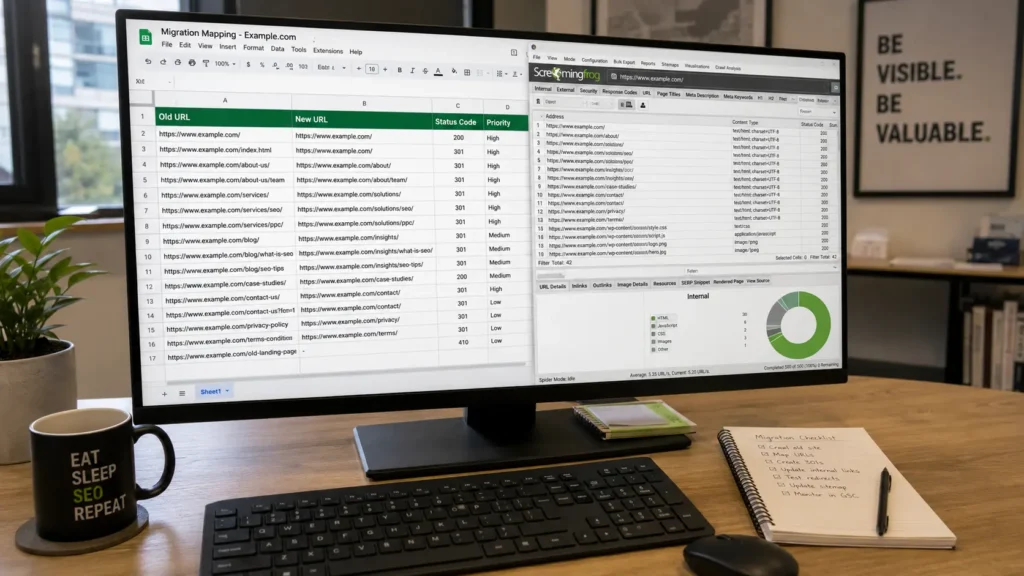
A redirect map is a spreadsheet documenting every old URL and its new destination. It is the single most important SEO deliverable in any migration. And it is the most commonly skipped.
The consequences are documented. Marcel Digital recorded a case where a client lost 44 percent of organic traffic post-migration - roughly 500,000 users - because redirect mapping wasn’t completed before launch. In a Volusion-to-Shopify replatform in May 2025, organic clicks dropped from approximately 1,200 to 500 per day because long redirect chains were created and critical 1:1 mappings from top-performing Volusion URLs to their Shopify equivalents were missed entirely.
The redirect map must cover:
- Every URL with clicks, impressions, or ranking positions from your Search Console export.
- Every URL with external backlinks - even one strong inbound link justifies a redirect.
- All category, service, product, and blog post URLs from the crawl export.
- Any redirects already in place - these can create chains in the new site if not collapsed into single hops.
All redirects must be HTTP 301 permanent redirects. A 301 redirect signals to Google that the move is permanent and transfers link equity to the new URL. A 302 (temporary redirect) does not reliably pass authority for permanent moves. JavaScript redirects and meta refresh tags are not crawled the same way - never use them as the primary redirect mechanism.
Avoid chains. If /old-page redirects to /interim-page which redirects to /new-page, you lose equity at each hop and create unnecessary crawl overhead. Direct, 1:1 mapping is the only standard worth applying.
Step 4: Lock Down Staging - It Is Not a Launch Environment
Every migration should be built, tested, and verified in a staging environment - a mirror of production that search engines cannot reach.
Staging must be blocked from indexing. Do this through:
- Password protection at the server or host level.
- A Disallow: / directive in the staging robots.txt file.
- Noindex meta tags on all staging pages.
Staging accidentally indexed is one of the most damaging pre-launch errors in a migration. It creates duplicate content at scale, confuses Google about which version is canonical, and in some cases results in the staging version outranking the production site. Not theoretical - I’ve seen it happen, and the cleanup takes weeks.
Use staging to test every redirect in the map, verify internal links resolve to new URLs, run Core Web Vitals benchmarks, and validate schema markup on key templates. Problems on staging cost nothing. Problems on production cost rankings.
Step 5: Preserve Every Technical SEO Foundation Before Launch
Once the new site is built, verify these elements before launch day. These are not post-launch cleanup tasks - they are launch criteria. If any of them are wrong on go-live, you are already in recovery mode.
Canonical Tags
Every page should carry a self-referencing canonical pointing to its production URL. On staging, canonicals must reference production - not the staging hostname. This is a silent but common error that tells Google the wrong page is authoritative.
Robots.txt
Verify your robots.txt file on production allows Googlebot access to all indexable pages. Never carry a staging robots.txt to the live site - this is how entire sites get accidentally de-indexed on launch day.
XML Sitemap
Build a clean XML sitemap reflecting the new URL structure - canonical, indexable pages only. No noindex URLs, no redirected URLs, no staging pages. Submit it in Google Search Console on launch day.
Internal Links
Update all internal links to point directly to new destination URLs. Do not rely on 301 redirects to handle internal linking - that adds crawl overhead and means Googlebot is following redirect hops internally instead of landing on destination pages directly.
Schema Markup
Schema is frequently lost in CMS migrations because it lives in code, not in the visual editor, and nobody from the design side notices it’s gone. Carry over every JSON-LD block and understand how schema markup and web design work together before you start - FAQPage, Organization, Service, and BreadcrumbList schema should be reimplemented and validated before launch, not added later as a follow-up task.
Core Web Vitals
If the new site performs worse on LCP, CLS, or INP than the old site, you’ve traded a design win for a ranking regression. Mobile pages currently average 8.6 seconds to load against 2.5 seconds on desktop, and 53 percent of mobile users abandon a site that takes longer than 3 seconds. Measure before and after. For practical UI/UX choices that directly improve Core Web Vitals, work through those decisions before launch, not after.
Step 6: Launch Day Is an Execution Checklist, Not a Celebration
Launch day should feel boring if steps 1 through 5 were done properly. Here’s the sequence:
- DNS cutover - point your domain to the new server or host.
- Remove staging blocks - disable the Disallow directive and noindex tags on production immediately after cutover.
- Crawl old URLs - confirm former URLs return 301 status codes, not 404s or 302s. Do this before announcing the launch to anyone.
- Submit the updated XML sitemap in Google Search Console.
- Run URL Inspection on your top 10 pages - confirm they’re indexable, canonical tags are correct, and pages aren’t blocked.
- Verify robots.txt on production using the GSC robots tester. One wrong line can block the entire site.
- Check canonical tags live on production - staging canonicals being correct means nothing after DNS cutover.
Do not approve launch until this checklist is complete. A site that’s accidentally noindexed or robots-blocked is invisible to Google, regardless of how good the design looks.
Step 7: Post-Migration Monitoring - The 60 Days That Decide Outcome
The migration is not finished when the site goes live. The first 30 days after a website launch are the most important monitoring window in the entire project. This is where most teams disengage and where recoverable problems become permanent.
What I actively track:
- 404 errors in Search Console Coverage report. Every 404 is a missed redirect. Fix them the same day, not in the next sprint.
- Crawl stats in Search Console - Settings - Crawl Stats. Watch for Googlebot crawling significantly more or fewer pages than expected.
- Rankings for the top 20 to 30 keywords. Expect minor volatility in weeks 1 and 2. Investigate sustained drops of 20 percent or more by week 3.
- Organic traffic versus the baseline pulled in Step 1. This is the primary success metric.
- Index coverage - are key pages indexed? Are staging pages or noindex-tagged pages entering the index unexpectedly?
What 'give it time' actually means: Google’s own site move guidance acknowledges some volatility post-migration. Normal - typically weeks 1 and 2. A 40 to 50 percent traffic drop continuing past week 4 is almost always a technical error: missed redirects, canonicalization problems, or pages accidentally blocked from indexing. Time fixes volatility. It does not fix structural errors.
Step 8: Content Alignment - Migrate Smart, Not Everything Blindly
Migrations are an opportunity to clean up content debt - but mishandled, the cleanup compounds ranking loss on top of migration risk.
The rules I follow:
- Pages with strong rankings or meaningful impressions: Preserve. Migrate content as-is. Improve after the migration is stable and verified.
- Thin or duplicate pages: Consolidate. Merge into a stronger parent page and 301 redirect the old URLs to the consolidated version. Never just delete without redirecting.
- Pages with zero impressions over 12 months and no backlinks: Remove. Redirect to the closest relevant page or return a 410. Don’t carry dead weight into the new site and inflate your crawl budget.
- Pages where migrated content is shorter or lower quality: Flag. Google can interpret a content quality downgrade as a ranking signal and respond to it.
Good website structure for SEO and user retention matters even more post-migration. If the new navigation buries previously accessible pages deeper in the hierarchy, those pages accumulate less crawl authority over time. Structural decisions during a redesign are SEO decisions, whether or not anyone in the room frames them that way.
AI Search, Citation Visibility, and Why Migration Structure Matters More Than Ever
In 2026, losing visibility in AI-generated answers is a genuine second-layer risk in any migration. Google AI Overviews now appear on roughly 31 percent of informational search queries. According to a February 2026 Ahrefs analysis of 300,000 keywords, the presence of an AI Overview correlates with a 58 percent reduction in click-through rate for the top-ranking page on those queries. Position 1 still matters - but it matters differently when an AI summary sits above it. For sites being migrated, the AI citation risk is specific: AI engines rely on stable, crawlable URLs and well-structured content to decide what to cite. If your migration removes useful content without redirects, breaks URL structures, or significantly reduces page depth, the pages previously referenced in AI answers lose their citation eligibility. The guide on how to get your content cited by AI search engines explains the structural signals these systems prioritize - and most of them are identical to what good migration execution protects anyway.
BrightEdge’s 2025 migration guidance was the first to make AI citation preservation an explicit migration KPI - targeting at least 95 percent of pre-migration AI citations retained within 60 days post-launch. That’s a new benchmark that didn’t exist two years ago, and it changes how migration success is measured going forward.
When Redesign Is Worth the Risk - And When It Isn’t
The stakes in 2026 are high precisely because of what ranking positions are worth. According to First Page Sage’s 2026 analysis, position 1 on a clean SERP earns approximately 39.8 percent of clicks. Page 2’s first result captures just 0.21 percent of clicks. A migration that drops a page from position 2 to page 2 can reduce its organic traffic by 95 percent or more. That is what’s at stake when a migration isn’t executed properly.
Redesign is worth doing when:
- The current site fails Core Web Vitals and is being penalized on mobile performance.
- The URL structure makes it impossible to scale content or add service areas without compounding technical debt.
- The CMS is creating security vulnerabilities or maintenance problems affecting site stability.
- User experience data shows the current site is actively hurting conversion and engagement rates.
Redesign is a high-risk, low-return exercise when:
- The motivation is purely aesthetic and the current site is technically sound and ranking.
- There is no SEO baseline, no redirect plan, and no post-launch monitoring budget.
- The team is under pressure to ‘just launch’ within a fixed deadline with no time for pre-migration checks.
If your site is generating consistent organic traffic today, stabilize and improve it first. Migrate when you have the infrastructure to do it properly.
Pre-Launch, Launch, and Post-Launch Checklist
Before Launch
- Search Console baseline exported - top pages, queries, impressions, clicks.
- Full site crawl completed - every live URL documented and exported.
- Redirect map built for every URL with traffic, rankings, or backlinks.
- Staging confirmed blocked from indexing.
- All redirects configured as HTTP 301s - no JS redirects, no meta refresh.
- Canonical tags verified as pointing to production URLs.
- Internal links updated to point directly to new URLs.
- XML sitemap updated to reflect new URL structure.
- Schema markup carried over and validated via Google’s Rich Results Test.
- Core Web Vitals benchmarked on staging - results reviewed before launch approval.
On Launch Day
- DNS cutover complete.
- Staging blocks removed from production.
- Old URLs crawled - confirmed as 301s, not 302s or 404s.
- New sitemap submitted in Google Search Console.
- URL Inspection run on top 10 pages.
- Robots.txt verified on production using GSC robots tester.
Post-Launch - First 60 Days
- 404 errors monitored and fixed immediately in first two weeks, then weekly.
- Rankings tracked against pre-migration baseline.
- Organic traffic compared to baseline by week 3.
- Crawl stats reviewed in Search Console.
- Index coverage checked for staging or noindex pages entering the index.
- Sustained traffic drops above 20 percent by week 3 to 4 investigated immediately - not deferred.
FAQs
Can I redesign my site without losing SEO?
Yes - but only if you treat it as an SEO migration project, not a visual refresh. The design itself is not what destroys rankings. Missing redirects, removed content, broken internal links, and unmonitored launches are what destroy rankings.
Should I change my domain and redesign at the same time?
Avoid it. A domain change is already high-risk - Google re-evaluates the new domain’s authority from scratch over months. Stacking a full redesign means if traffic drops, you can’t isolate whether the domain change, the URL structure, the content, or the design caused it. Do one, stabilize, then consider the other.
How long does it take for rankings to stabilize after a migration?
For a same-domain migration executed correctly, typically 4 to 8 weeks. For domain changes, expect 3 to 6 months before full stabilization, even with a complete redirect map. Industry data puts average recovery time for all migrations - including poorly executed ones - at 523 days. Seventeen percent of sites in that study never recovered their pre-migration baseline.
Do I need a redirect for every URL?
Every URL with traffic, rankings, or backlinks - yes, absolutely. For pages with zero organic presence and no external links, a redirect is good practice but not critical. If consolidating content, redirect thin pages to the closest relevant replacement rather than returning 404s.
What happens if I forget to redirect old URLs?
Google drops those pages from the index along with their ranking positions. External links pointing to the unredirected URLs become dead links and their link equity is forfeited permanently. The longer you leave broken URLs unfixed post-launch, the harder recovery becomes.
How do I know if my migration is hurting SEO?
Monitor Search Console for rising 404 errors, dropping indexed page counts, and a decline in organic clicks versus your baseline. In rank tracking, watch for drops that align with specific pages rather than site-wide volatility - that pattern points to redirect or canonicalization errors on those pages. A sustained 20 percent or more traffic drop that doesn’t begin recovering by week 3 or 4 warrants a full technical audit immediately.
Is it safer to migrate in phases or all at once?
Phased migration is generally safer for large sites - it limits the blast radius if something breaks. For smaller sites under 200 pages, an all-at-once migration is manageable if the pre-launch checklist is complete. The approach matters less than the process behind it.
Do AI search results care if I move my site?
Indirectly, yes. AI engines index and cite content from stable, crawlable URLs. If your migration removes content without redirects, breaks URL structures, or loses schema markup during a CMS move, pages that were being cited in AI-generated answers lose their citation eligibility. Schema loss during a CMS migration is a specific risk - AI engines use structured data to identify and surface content.
Final Perspective
A website migration is not a design project with a technical side. It’s a technical SEO project that also delivers a new design.
Every ranking position you currently hold was earned - through content, links, structure, and time. A migration without a plan is how you hand all of that back to Google and start from closer to zero. That’s not an unavoidable cost of progress. It’s a predictable outcome of skipping preparation.
The migrations that survive intact are not the ones with bigger budgets or more talented developers. They’re the ones where someone insisted on a baseline before the mockups, a redirect map before the build, and a monitoring plan before the launch.
Treat this like the SEO project it is. Strict checklist, defined launch criteria, 60-day monitoring window. That’s not overcaution. That’s how you protect the traffic you already earned.

Written by
Kashaf
Kashaf is a veteran SEO specialist with deep expertise in AI SEO, generative engine optimization, ORM, web strategy, and marketing automation. With a Master's in Computer Science, he blends search strategy with technical insight into websites, automation workflows, and AI-driven platforms, helping brands dominate traditional search while adapting to the future of AI-powered discovery.