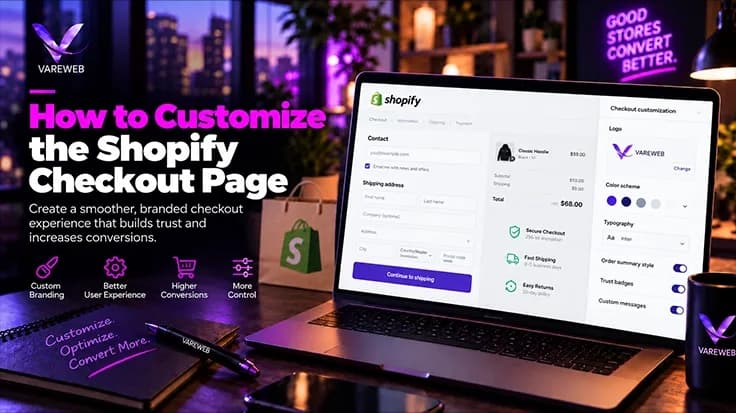
Quick Answer: On standard Shopify plans, you can restyle checkout in the checkout and accounts editor, add eligible apps to the Thank You and Order Status pages, and use public apps built on Shopify Functions and Web Pixels, but you cannot place custom UI extensions inside the information, shipping and payment steps. Those core-step blocks, custom checkout fields and the Checkout Branding API generally require Shopify Plus. Either way, nobody edits checkout code any more; you work through Checkout UI Extensions, Shopify Functions, Web Pixels and branding tools that Shopify supports.
Let me save you hours in the Shopify App Store: your plan decides where an app can appear in checkout. The second question matters just as much. Before I build anything, I test whether the feature belongs in checkout at all.
The rules also moved in 2026. Shopify's help center confirms that Shopify Scripts has been deprecated as of June 30, 2026, and the developer docs state that checkout.liquid is unsupported for the information, shipping and payment steps. Any tutorial that still tells you to paste code into checkout is out of date.
Not Sure What Your Shopify Plan Lets You Change at Checkout?
Your plan decides where apps and extensions can appear, and the rules keep changing. Vareweb audits your store, tells you what's possible on your current plan, and recommends the supported way to get the result you want.
One more thing before the table. The best checkout isn't the one with the most widgets. It removes friction, answers the last buying objection and lifts conversion or AOV (Average Order Value, the average amount spent per completed order) without pulling attention from the pay button.
| Checkout Feature | Standard Shopify Plans | Shopify Plus | Best Alternative or Method |
|---|---|---|---|
| Logo, colors and fonts | Yes, in the checkout and accounts editor | Yes | Use the editor; no code needed |
| Basic checkout branding | Yes: supported form and button styling | Yes | Preview mobile and desktop before publishing |
| Advanced branding (Checkout Branding API) | No | Yes | Stay with the editor options on standard plans |
| Custom app blocks in information, shipping and payment steps | No | Yes | Move the content to the cart or Thank You page |
| Thank You page extensions | Yes, through eligible apps | Yes | Cross-sells, surveys, loyalty sign-up |
| Order Status page extensions | Yes, through eligible apps | Yes | Tracking links, reorder and support content |
| Post-purchase offers | Possible through eligible apps; access conditions apply | Yes | Confirm the app's current requirements; Thank You cross-sell as fallback |
| Custom checkout fields | Not inside core steps | Yes, via UI Extensions | Collect it in the cart and save it to the order |
| Gift-message field | At cart level | In checkout via extension | Cart gift field stored as an order attribute |
| In-checkout upsells | No | Yes | Cart upsell or post-purchase offer |
| Cart-page upsells | Yes, via theme or app | Yes | Free-shipping bar, cross-sells, add-ons |
| Public apps powered by Shopify Functions | Yes | Yes | Discounts, delivery and payment rules through an app |
| Custom Shopify Functions | Depends on app type and current eligibility | Yes | Try a public app first, then scope custom logic |
| Delivery and payment customizations | Through eligible public apps | Yes, including custom logic | Test with Shop Pay and wallets |
| Web Pixels | Yes | Yes | Replace old tracking scripts |
| Arbitrary JavaScript or HTML injection | No | No | Supported extension points only |
| Direct checkout.liquid editing | No for core steps | No for core steps | Migrate to extensions, Functions and pixels |

How to Customize the Shopify Checkout Page Without Breaking It
You customize checkout safely by deciding six things before anyone writes a line of code or installs an app. Skip these and you end up with overlapping widgets and a checkout that's slower and more confusing than the one you started with.
- The business outcome: fewer abandoned checkouts, higher AOV, fewer support tickets or cleaner order data.
- The surface: cart, checkout, post-purchase page, Thank You page or customer account.
- Your Shopify plan: it limits where apps and extensions can appear.
- Existing app support: an app you can configure is usually cheaper and safer than a build.
- Custom development: justified only when no supported app or native setting does the job.
- Testing and measurement: how you will test the change and which metric proves it worked.
Shopify changes feature availability over time, so confirm compatibility on Shopify's current pages before you buy an app or upgrade a plan.
Why Shopify Restricts Checkout Code
Shopify limits access to checkout because it handles identity, address, payment and order data, and one broken script can stop a sale. The restriction exists to protect security, speed, upgradeability and payment reliability.
PCI DSS is the security standard that governs how payment-card information is handled. Shopify hosts the checkout, which keeps card data inside its protected environment. That doesn't mean you carry zero responsibility, and it doesn't mean every tweak creates legal trouble. It means unvetted code near payment is a risk you shouldn't take.
Old-style customization let any script read and rewrite the page. That's how merchants ended up with broken payment flows, double-firing tracking and checkouts that failed after a Shopify update.
Checkout Extensibility is Shopify's supported framework for extending checkout through approved UI components, backend logic, branding controls, apps and event tracking. Here is the hard truth: it's a framework, not one tool, and each piece does a different job.
What Standard Shopify Plans Can Customize
Standard plans can do more than swap a logo. Shopify's help center says standard checkout customizations are available to businesses on the Basic plan or higher, and that includes eligible apps on the Thank You and Order Status pages.
Here is how to get started:
- Open your Shopify admin.
- Go to Settings > Checkout.
- Find the checkout configuration you want to change.
- Select Customize to open the checkout and accounts editor.
- Review the branding, app, Thank You, Order Status and customer-account options.
- Preview mobile and desktop layouts.
- Save, test with a real order, then publish.
Exact editor options vary by checkout version, plan, market and Shopify's current rollout, so what you see may differ slightly from this list.
Within those limits, standard plans cover:
- Logo, brand colors, supported fonts, button and accent colors.
- Form styling options the editor exposes.
- Checkout wording, where Shopify allows translation editing.
- Apps on the Thank You and Order Status pages.
- Web Pixels, a supported method for collecting customer-event data for analytics and marketing.
- Public apps that use supported Shopify Functions, which are backend logic that can change discount, payment, delivery, validation or cart behavior without touching checkout code.
- Cart-page fields, upsells, gift messages and trust content, which I cover below.
Post-purchase offers need a closer look. The post-purchase page appears after payment but before the Thank You page, and Shopify's developer docs describe post-purchase extensions as a beta where live stores must request access. The same page lists conditions such as a vaulted card, and it says wallets and gift-card-only purchases will not show the page.
So post-purchase isn't Plus-only, but it isn't automatic either. Check the app's current requirements before you promise it to your marketing team.
Most Checkout Wins Don't Need Shopify Plus
Branding, Thank You page apps, cart upsells, and post-purchase offers all work within standard plan limits. Vareweb optimizes checkout inside those limits first, so you only pay for custom work when nothing supported will do the job.
What Requires Shopify Plus
Plus is generally required when the feature must live inside the core steps. Shopify's developer docs say checkout UI extensions that render on the information, shipping and payment steps are limited to Plus, and the Checkout Branding API is Plus-only too.
An extension point is an approved location where Shopify permits an app block or custom extension to appear. If there's no extension point at the spot you want, nothing can be placed there, whatever plan you're on.
Plus is generally needed for:
- App blocks and custom Checkout UI Extensions (sandboxed interface components placed at approved extension points) in the information, shipping and payment steps.
- Advanced branding through the Checkout Branding API, the Plus feature for deeper control over checkout appearance.
- Custom checkout fields inside core checkout.
- Deep B2B checkout workflows, such as purchase-order fields with validation.
- Conditional content that relies on Plus-only placements.
- Bespoke backend logic that no eligible public app provides.
But there is a catch: Plus doesn't hand you the page's HTML or DOM. Extensions render only at the points Shopify offers, and an extension can't inject arbitrary scripts.
When a custom extension is justified, it has to be scoped, built, tested, released and monitored like any other piece of production software. That's the job of experienced custom Shopify developers, not a script patched into checkout with unsupported code.
The workflow I follow looks like this:
- Define the requirement in commercial terms.
- Choose the correct extension point.
- Decide where the data will be stored.
- Build the UI Extension or Function.
- Configure merchant-controlled settings.
- Test the different checkout states.
- Deploy through a controlled app release.
- Monitor errors and commercial performance.
One more misconception worth killing: a headless storefront doesn't automatically unlock a fully custom checkout. I explained the trade-offs in my guide to how headless Shopify actually works, and the short version is that checkout stays on Shopify's supported surface either way.
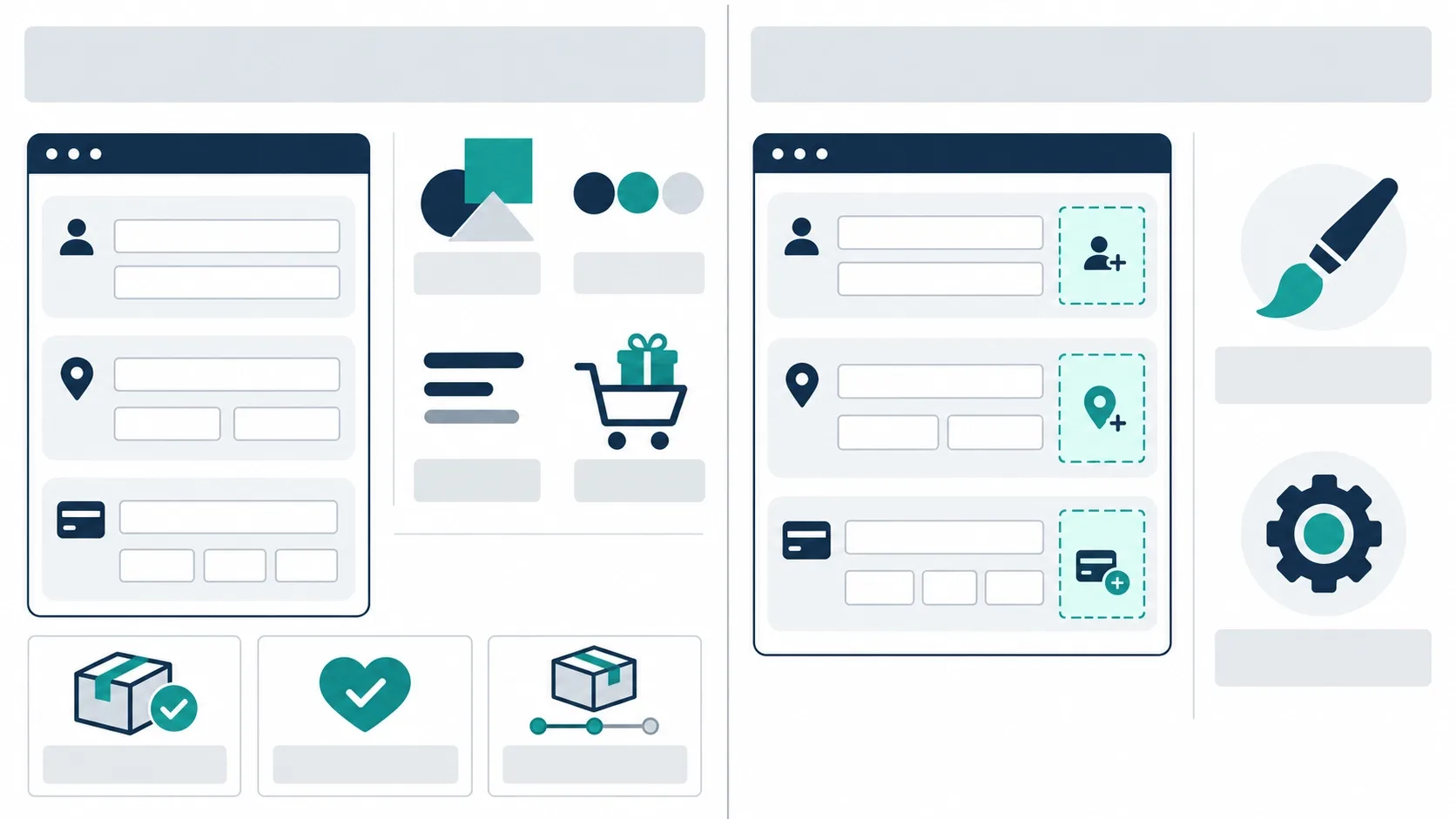
The Checkout Extensibility Stack Explained
Think of Checkout Extensibility as seven tools with seven jobs. Mixing them up is the fastest way to buy the wrong app.
| Tool | What It Controls | Example Business Use |
|---|---|---|
| Checkout and accounts editor | Branding, supported layout settings, app placement in the editor | Match checkout to your brand without code |
| Checkout UI Extensions | Interface elements at approved extension points | Loyalty-points message, B2B fields (Plus for core steps) |
| Shopify Functions | Backend logic for discounts, delivery, payments and validation | Hide a payment method for a region; validate an order |
| Checkout Blocks | Configurable no-code blocks; availability depends on plan and placement | Conditional message or simple upsell block |
| Checkout Branding API | Advanced visual styling (Plus) | Corner radius, form styling, brand-matched buttons |
| Web Pixels | Customer-event tracking in a supported sandbox | Purchase and checkout events for analytics and ads |
| Post-purchase extensions | The offer page between payment and Thank You | Add-on product offer after payment |
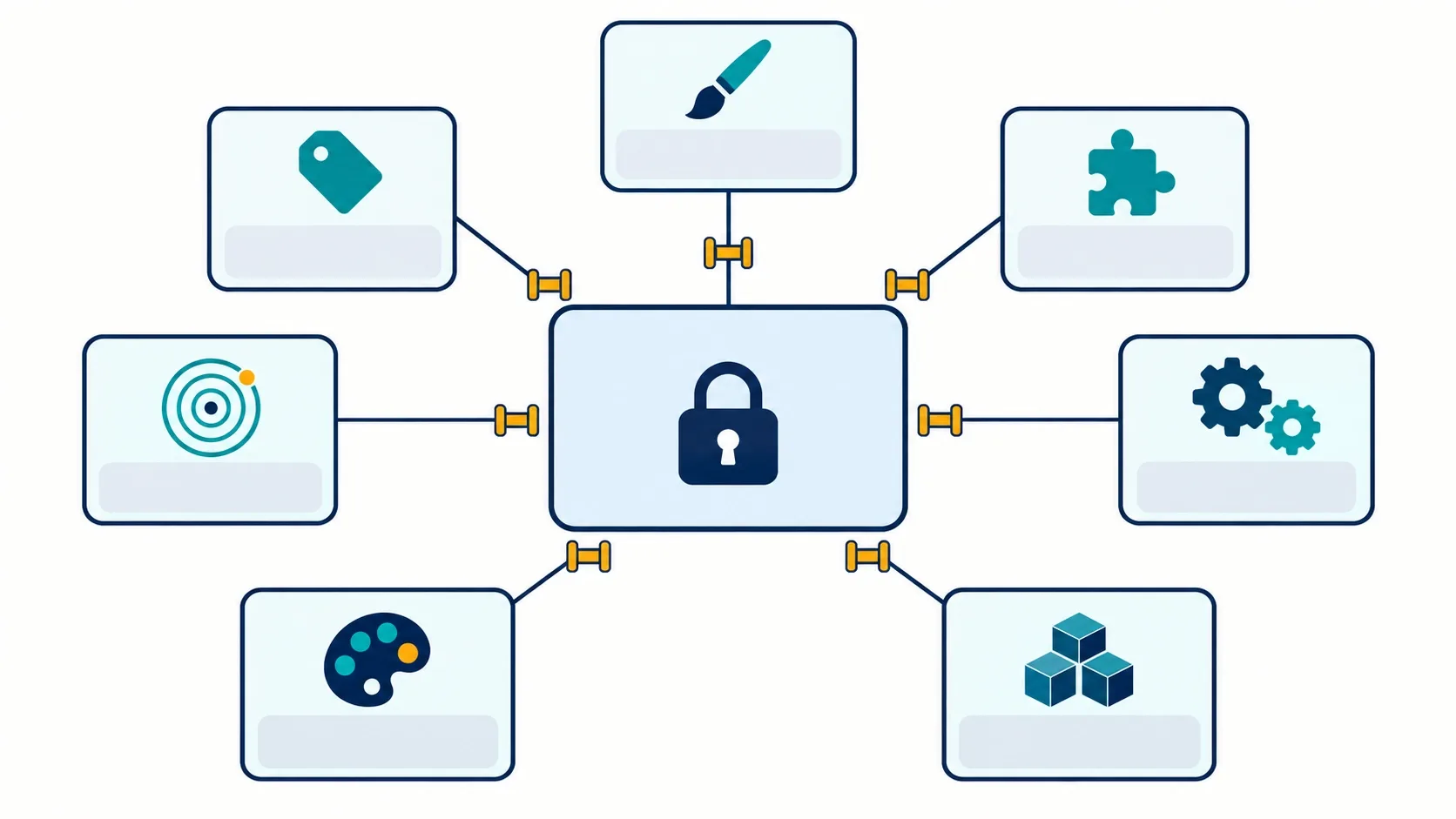
High-Impact Checkout Customizations
Every customization should solve a customer problem and move a metric. None of these automatically improve conversion, and each can add friction if you use it carelessly.
- Complementary-product offer: solves "did I forget something?" Best surface: cart or post-purchase. Plus: not required. Risk: distracting from payment. Measure AOV and checkout completion.
- Shipping upgrade: solves delivery-speed anxiety. Best surface: the shipping step, using delivery rules from an eligible app. Plus: depends on the method. Risk: unclear pricing. Measure shipping-upgrade take rate and abandonment.
- Gift message and packaging: solves "can I send this as a gift?" Best surface: cart for non-Plus stores. Plus: only for in-checkout placement. Risk: lost data if not saved properly. Measure gift-order rate and support tickets.
- Delivery instructions: solves "leave it with the concierge." Best surface: cart note or checkout extension. Plus: for core steps. Risk: optional fields people feel forced to fill. Measure failed-delivery tickets.
- Loyalty-point visibility and VIP messaging: solves "what do I earn?" Best surface: cart, checkout or Thank You page. Plus: for core placement. Risk: noise near payment. Measure loyalty sign-ups and repeat rate.
- B2B purchase-order field: solves finance-team requirements. Best surface: checkout. Plus: generally yes. Risk: bad validation blocks orders. Measure order-processing errors.
- Terms acceptance and age confirmation: solves compliance needs. Best surface: depends on the rule. Plus: often for core steps. Risk: required boxes lower conversion; a visual checkbox may not be enough verification. Ask a qualified advisor.
- Address validation: solves failed deliveries. Best surface: checkout, through a supported app or Function. Plus: depends on the tool. Risk: false errors on real addresses. Measure delivery failures.
- Customer survey: solves "where did you hear about us?" Best surface: Thank You page. Plus: no. Risk: low response if too long. Measure response rate.
Need a Checkout Feature Built the Supported Way?
Custom fields, B2B purchase orders, address validation, and conditional content all have to fit Shopify's approved extension points. Vareweb builds, tests, and ships checkout customizations on Shopify Plus without breaking what already converts.
Upsells and AOV
Four terms get mixed up constantly, and the difference decides which plan you need.
- Cart upsell: appears before checkout and can work on standard plans.
- In-checkout upsell: appears inside the information, shipping, payment or order-summary areas and generally requires Plus.
- Post-purchase upsell: appears after payment and may be available through eligible apps on standard plans, subject to the access conditions above.
- Thank You page cross-sell: appears after purchase and is not the same as a one-click post-purchase offer.
Realistic pairings include a shoe order with a matching care kit, standard delivery with an expedited option, a coffee subscription with an extra bag, and a gift order with premium packaging.
Don't call every offer "one-click." Whether a customer can add an item without re-entering payment depends on card vaulting, the payment method used and what the app supports.
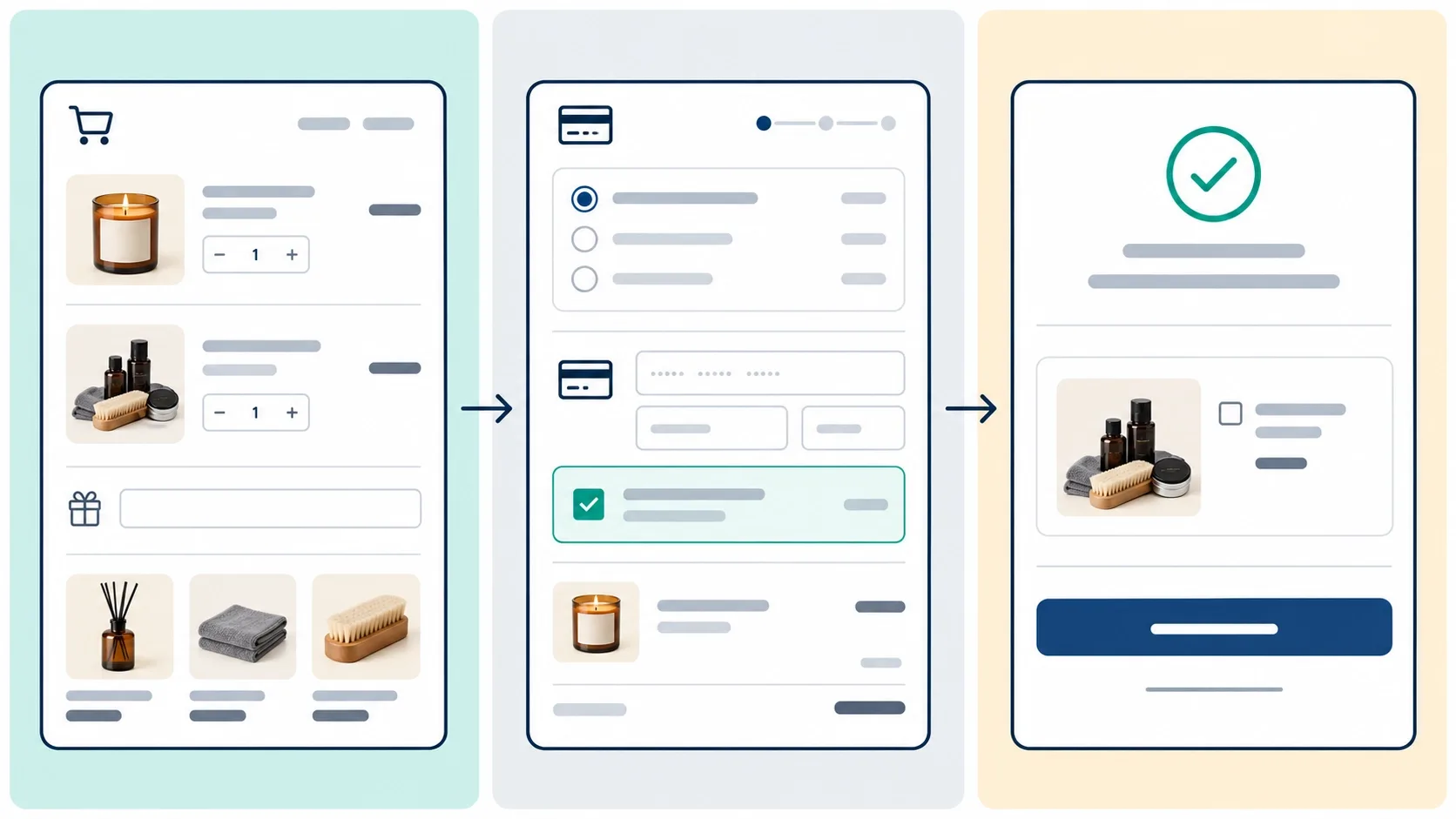
Trust Messages, Fields and Checkboxes
Trust content should answer a real objection: returns, delivery timing, payment security or warranty. Generic badge piles make a checkout look less credible, not more.
- Never imply a certification or payment protection you don't actually hold.
- Don't assume you can place content directly beneath the card fields; confirm an approved extension point exists first.
- Give every custom field an operational purpose, and decide where its data will be saved: an order attribute, cart attribute, metafield, note or another supported destination.
- A checkbox collects information. Blocking an order until it's ticked can need extra validation logic.
- Required checkboxes can reduce conversion, so use them only where a commercial or legal reason justifies it.
Legal requirements vary by market and product, and nothing in this guide is legal advice. For age verification, terms acceptance, privacy and regulated goods, ask a qualified advisor.
When to Use the Cart Instead
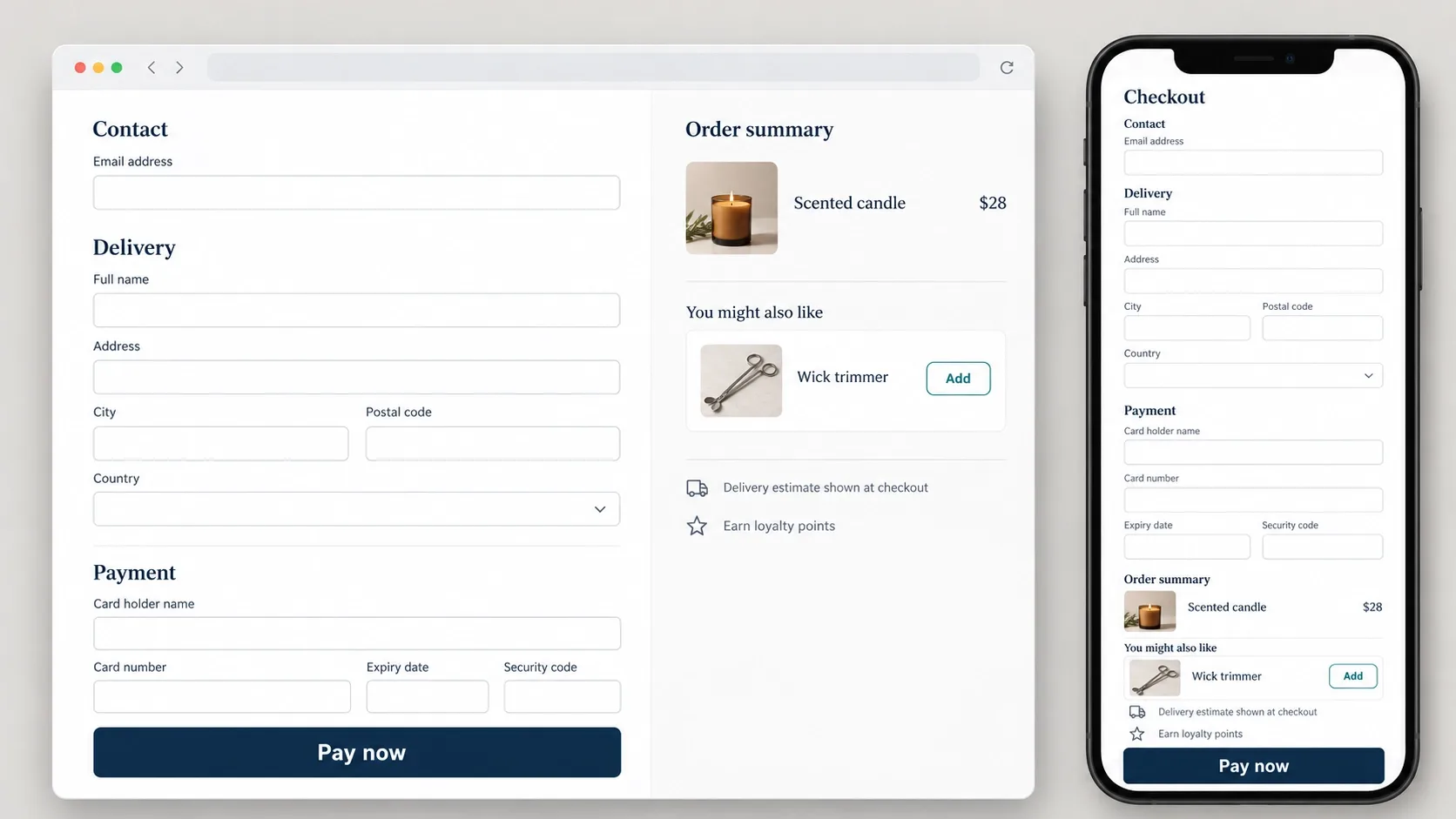
If the same business outcome can be reached safely in the cart, I won't recommend Shopify Plus just to move the feature one screen forward. The cart is easier to customize because the theme controls it.
Checkout optimization also begins well before the checkout page, with mobile UX, clear product information, payment choices and shipping transparency. My colleague Kashaf, Vareweb's SEO Manager, covers that side in his guide on how to improve the ecommerce customer experience.
Cart-level features that work well:
- Gift-message fields and gift wrapping.
- Delivery notes and personalization details.
- Upsells and cross-sells.
- Free-shipping progress bars.
- Warranty offers.
- Terms checkboxes.
- Subscription controls.
The catch is data. Whatever the customer types in the cart must be saved as a cart attribute or note, then confirmed on the finished order and in the confirmation email. Cart drawers also depend on your theme, and I laid out how the theme tiers differ in Free Shopify Themes vs. Premium vs. Custom.
Migrating From Legacy Checkout Customizations
Legacy customizations are unsupported or already switched off, and this is where old Shopify tutorials become dangerous. Here is the 2026 status as I read it from Shopify's own pages:
- liquid: unsupported for the information, shipping and payment steps, per Shopify's checkout developer documentation.
- Thank You and Order Status pages: legacy customizations were replaced by extensions, and the same page lists a cutoff of August 26, 2026 for script tags on non-Plus stores.
- Shopify Scripts: deprecated as of June 30, 2026, with Shopify pointing merchants to Shopify Functions.
- Additional Scripts and script tags: legacy tracking and tweaks; rebuild them with Web Pixels and supported extensions.
Don't restore or reactivate unsupported code. Rebuild it. My process:
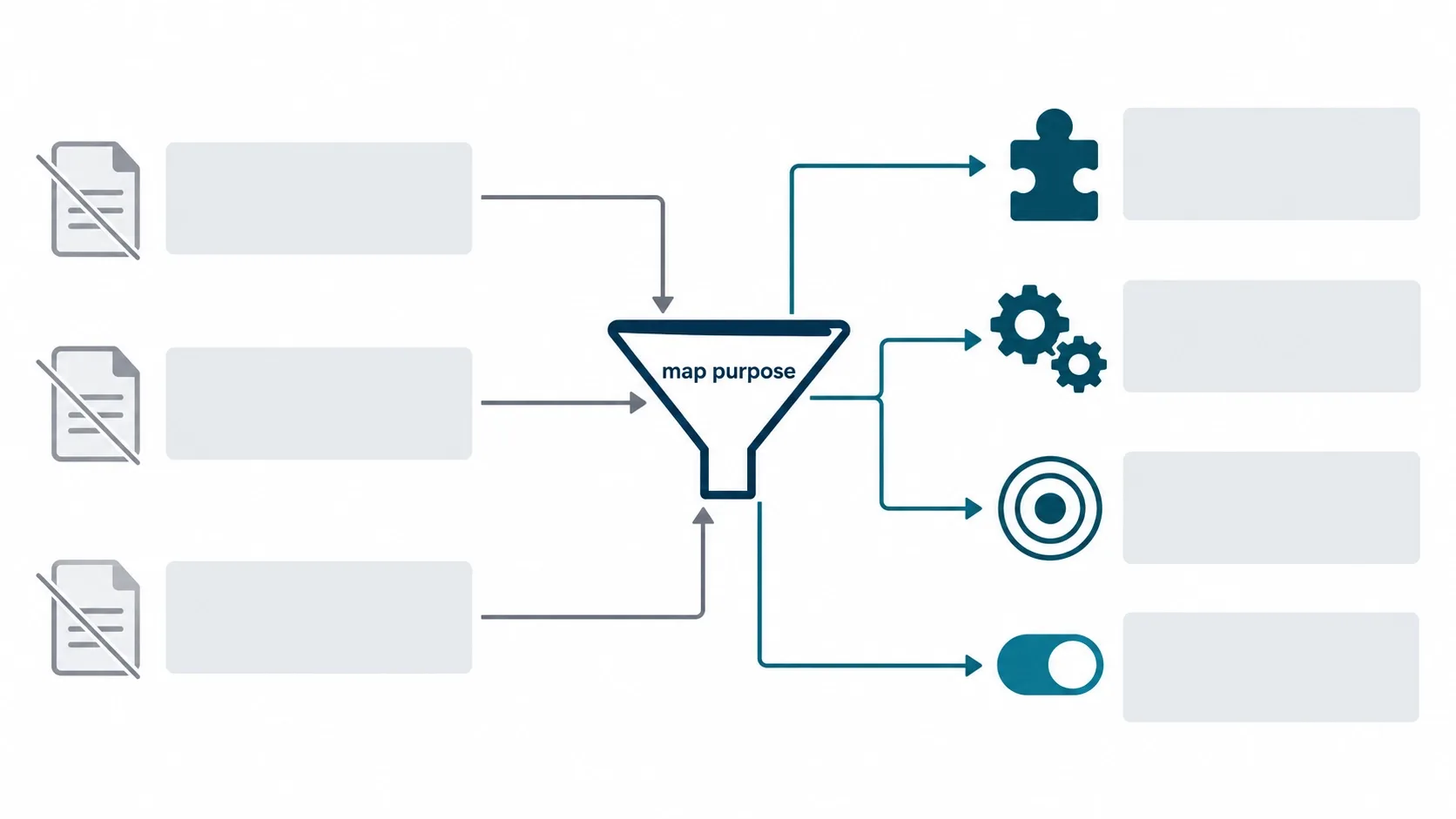
- Inventory every legacy customization.
- Write down the business purpose of each.
- Remove anything unused.
- Map each feature to a UI Extension, Function, Web Pixel, app block or native setting.
- Rebuild in a development or test environment.
- Compare data and behavior against the old version.
- Run test orders.
- Publish with a rollback plan.
- Monitor analytics and errors after launch.
Still Running checkout.liquid or Shopify Scripts? Rebuild Before It Costs You Sales.
Unsupported checkout code breaks quietly, and tracking is usually the first casualty. Vareweb inventories your legacy customizations, rebuilds what matters on supported tools, and tests with real orders before anything goes live.
The most common casualty is tracking. If your purchase events quietly stopped firing, that's usually a legacy script that no longer runs.
Testing Checkout Changes
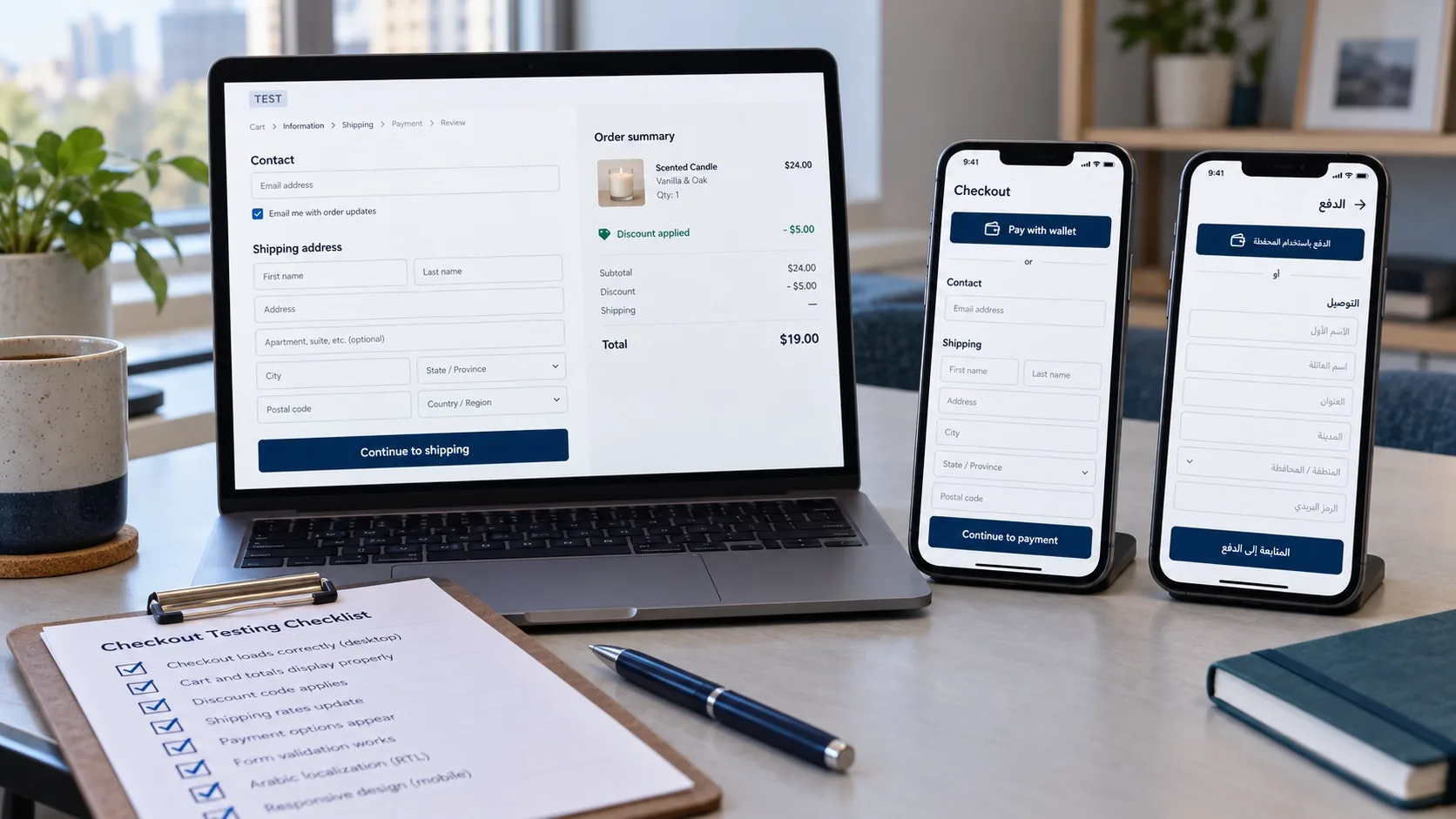
"It appeared in the editor" is not testing. Before I sign off, I run the change through a matrix like this one.
| Test Area | What to Verify |
|---|---|
| Devices and states | Mobile and desktop; guest and returning customers; logged in and logged out |
| Wallets and accelerated checkout | Shop Pay and other wallets behave as expected; extensions that cannot render there fail gracefully |
| Discounts and gift cards | Combinations of discount codes, automatic discounts and gift cards still price correctly |
| Delivery | Domestic and international addresses, different shipping methods, free-shipping thresholds, pickup |
| Cart contents | Subscription items, out-of-stock changes, B2B customers where relevant |
| Markets and languages | Translated text, currencies and market-specific rules |
| Payments | Successful, declined and abandoned payments |
| Accessibility | Keyboard navigation, focus order, error messages, contrast |
| Data and tracking | Web Pixel events, order-attribute storage, confirmation emails |
| After the order | Refunds, edits, and how the saved data appears in the admin |
For accessibility, use the Web Content Accessibility Guidelines (WCAG) as your checklist, because a field a keyboard user can't reach is a lost sale. Performance deserves the same attention; my colleague Kashaf, Vareweb's SEO Manager, explains why speed matters well beyond rankings in How Important Is Page Speed for SEO in 2026.
I won't promise any extension has zero performance impact, because that wouldn't be honest. What I can do is measure checkout speed and completion before and after each change.
Shopify Plus ROI Framework
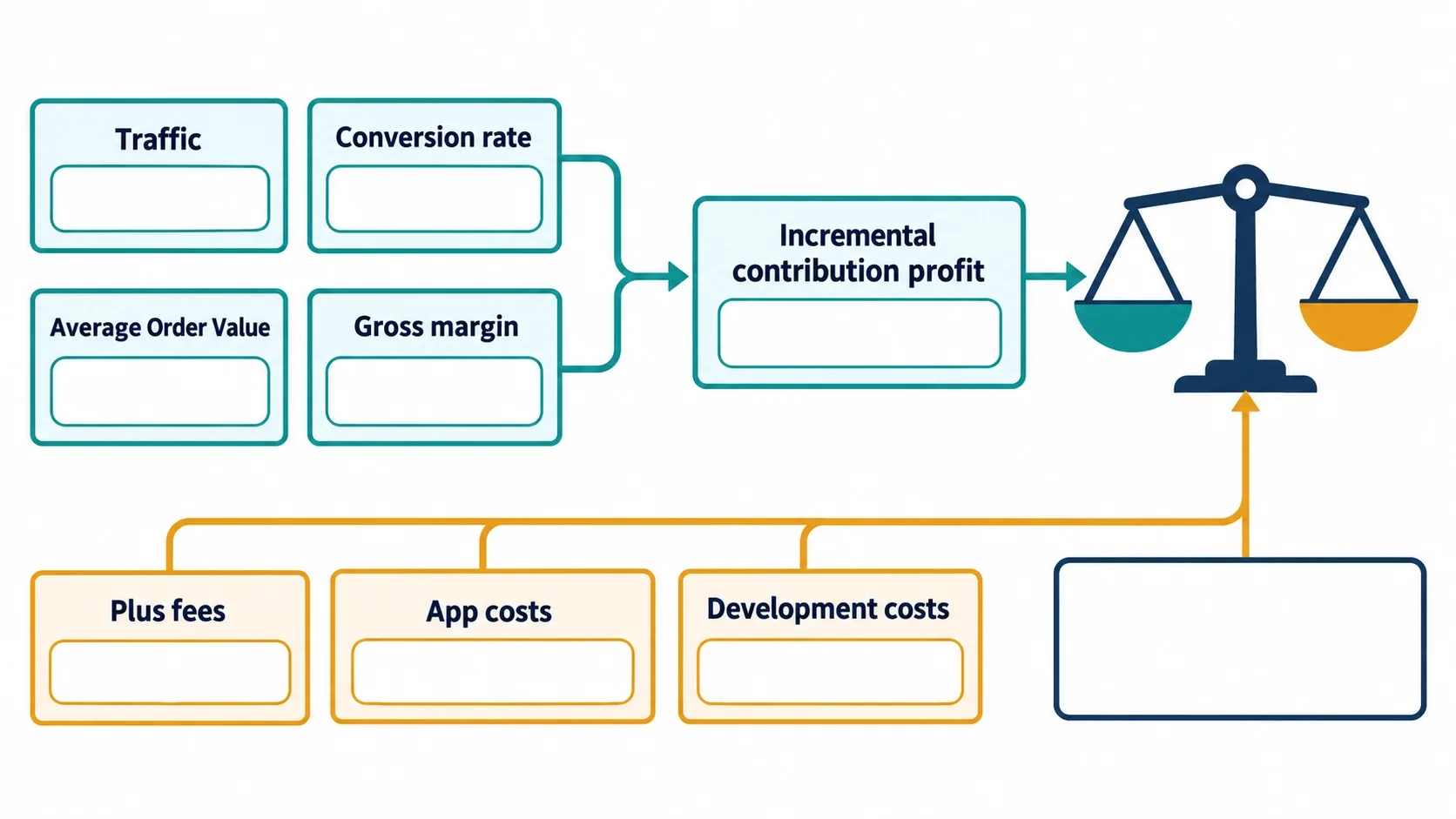
Revenue alone can't tell you whether Plus is worth it. The number that matters is incremental contribution profit from checkout changes:
Additional completed orders x Average Order Value x gross-margin percentage
Then compare that figure with every cost the change creates:
- The Shopify Plus platform-fee difference.
- App costs.
- Custom development and maintenance.
- Testing and analytics.
- Payment-fee differences.
- Internal operational savings.
- B2B or multi-store requirements.
- The value of any other Plus features you will actually use.
Shopify's Plus pricing page lists $2,500 per month on a one-year term and $2,300 per month on a three-year term, with a variable platform fee for more complex businesses. For comparison, the Advanced plan is listed at $299 per month on annual billing.
Hypothetical example, not a benchmark: assume a one-year Plus term, so the platform-fee difference is about $2,201 per month ($2,500 minus $299). Add $600 per month for apps, development and maintenance, for $2,801 in extra monthly cost. With an $80 AOV and a 45% gross margin, each extra order contributes $36.
Break-even is about 78 extra orders per month ($2,801 divided by $36). On 40,000 monthly sessions, that means lifting conversion by roughly 0.2 percentage points just to cover the cost. On 150,000 sessions, the same 78 orders is only about 0.05 points.
This is why I don't accept "a 1% lift pays for Plus" as an argument. I'm not assuming a lift, constant traffic, 100% margin or instant payback. Traffic, current conversion, AOV, margin, B2B needs and the Plus features you'll really use decide the answer.
Practical Implementation Checklist
☐ Define the checkout problem in commercial terms
☐ Confirm the affected checkout surface
☐ Verify plan eligibility
☐ Check whether a native Shopify setting solves it
☐ Evaluate cart, post-purchase, Thank You or Order Status alternatives
☐ Review existing apps for overlapping functionality
☐ Confirm the extension point and technical method
☐ Decide where custom-field data will be stored
☐ Check mobile, Shop Pay, localization and accessibility compatibility
☐ Build and test in a safe environment
☐ Run complete test orders
☐ Validate analytics and Web Pixels
☐ Establish baseline conversion and AOV
☐ Publish gradually where possible
☐ Monitor revenue, errors, support tickets and abandonment
Is Shopify Plus Worth It for Your Store? Run the Numbers With Us.
The answer depends on your orders, margins, and the checkout changes you actually need, not on a generic lift percentage. Book a free call and Vareweb will model incremental profit against Plus fees, apps, and development before you commit.
Frequently Asked Questions
Can I use an app to customize checkout on Basic, Grow or Advanced Shopify?
Yes, but only on certain surfaces. Eligible apps can customize the Thank You and Order Status pages, and apps built on Shopify Functions or Web Pixels can work on standard plans. Apps that add blocks inside the information, shipping and payment steps generally need Shopify Plus, so check the app listing for the exact surface and plan before you install it.
Why has my checkout.liquid customization stopped working?
Shopify no longer supports checkout.liquid for the information, shipping and payment steps, and legacy Thank You and Order Status customizations have been replaced by extensions. Restoring the old code isn't an option. Inventory what the customization did, then rebuild it with a UI Extension, a Shopify Function, a Web Pixel or a native setting.
Can I add custom fields to the cart instead of checkout?
Yes, and it's the standard workaround for merchants who aren't on Plus. You collect the value in the cart and save it as a cart attribute or note so it carries into the order. Always confirm it appears on a real test order and in the admin before you rely on it.
How do I add a gift-message option without Shopify Plus?
Add a gift-message field on the cart page and store it as an order attribute. Many themes and cart apps support this, and it works without touching checkout. Place it near gift wrapping so customers see it before they pay, and check that the message reaches your fulfillment team.
Do Checkout UI Extensions slow down checkout?
They can, so measure rather than assume. Extensions run inside Shopify's supported environment and don't get unrestricted access to the page's DOM, which limits the damage, but each one still adds work. Test checkout speed and completion before and after every addition.
Is Shopify Plus required for post-purchase upsells?
No, post-purchase offers aren't automatically Plus-only. Eligible apps can provide them on standard plans, but Shopify's developer documentation attaches access conditions, and some payment methods will not show the offer. Confirm the current requirements with the app you plan to use.
What is Checkout Extensibility in simple terms?
It's Shopify's supported way to extend checkout without editing its code. It combines the checkout editor, UI Extensions, Shopify Functions, Web Pixels, branding tools and apps. Each handles a different job, and each only works at approved points.
Can I add trust badges beneath the Shopify payment fields?
Not freely. Content can appear only at approved extension points, and placement inside the core steps generally needs Plus. A safer option is a short reassurance message near the order summary or in the cart, and never a badge that implies a certification you don't hold.
Is Shopify Plus worth buying only for checkout customization?
Usually not by itself. Work out incremental contribution profit from the checkout changes you actually need, then compare it against the platform fee, apps, development and maintenance. If a cart, post-purchase or Thank You page solution delivers the same outcome, Plus is hard to justify for checkout alone.
Can a headless Shopify store use a completely custom checkout?
No, going headless doesn't automatically unlock a custom checkout. Checkout still runs on Shopify's hosted, supported surface, and customization still happens through extension points and the tools your plan allows. A headless build changes your storefront, not the rules for checkout.

Written by
Minhaj
Minhaj Ahmed is an experienced web and software development professional specializing in web applications, mobile apps, SaaS platforms, and AI-powered solutions. As Head of Development at Vareweb, he brings a strong software engineering background to building scalable digital products and automation systems. He writes about web development, mobile apps, AI, software engineering, and emerging technologies.