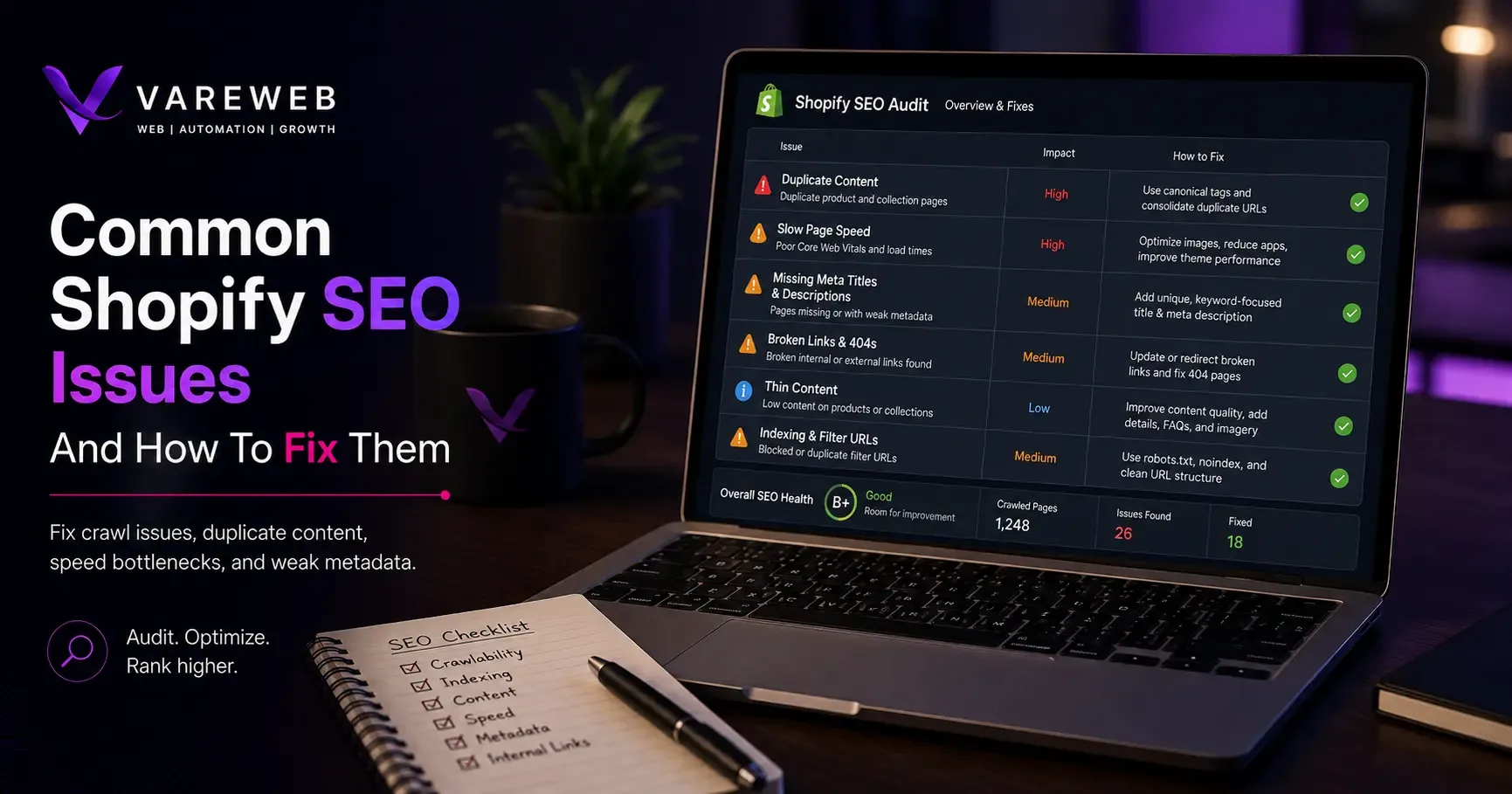
Quick Answer: Most Shopify SEO problems aren't caused by merchant mistakes. They often come from platform defaults, including fixed URL structures, automatically generated duplicate paths, and thin collection page templates that can quietly limit organic performance. The good news is that these issues usually don't require replatforming. They require a proper technical and on-page SEO review to identify what's holding the store back and fix it at the source.
I've audited enough Shopify stores at this point that I can usually predict most of the SEO report before I open Search Console. Not because every store is identical - they're not - but because Shopify's architecture produces the same handful of structural problems again and again, regardless of industry, catalog size, or how much the merchant has already spent on an SEO app.
That's the part that tends to surprise people. Shopify runs 31.7% of the e-commerce systems that W3Techs tracks as of this year - a genuinely enormous share of the commercial web - and yet a meaningful percentage of those stores are quietly capped by the same five or six issues I keep finding, audit after audit. It's not that Shopify is bad for SEO. It's that Shopify's opinionated architecture - the same thing that makes Shopify Development Services genuinely fast to launch and simple to run day to day - produces specific structural side effects that nobody warns merchants about at signup.
This isn't a generic "10 SEO tips for Shopify" listicle. It's a diagnostic reference, issue by issue: what the problem actually is, why Shopify's platform mechanics produce it, and exactly how to fix it - including which fixes you can handle yourself in the admin panel and which ones genuinely need a developer or theme-code access. I'll be upfront about which is which as we go.
A few scenarios I run into constantly, because they'll probably sound familiar: a 200-product catalog where Search Console shows fewer than 40 pages actually indexed. A collection page sitting at position 8 for months, unmoving, because it's a product grid with zero supporting copy. A store running fifteen apps and wondering why its homepage LCP measures 4.8 seconds on mobile. A merchant who renamed a handful of product handles during a rebrand and quietly broke five months of accumulated backlinks with no redirect in place. None of these are edge cases. They're Tuesday.
Why Shopify SEO Issues Are Different From Generic SEO Issues
Most SEO advice is platform-agnostic: write better content, build links, fix your titles. None of that is wrong, but it skips the layer that actually caps a lot of Shopify stores before any of it gets the chance to work.
Shopify is a closed, hosted platform with a fixed folder structure - /collections/, /products/, /pages/, /blogs/ - and a theme rendering system built on Liquid, Shopify's own templating language. You don't control the underlying folder architecture the way you would on an open system. That's a deliberate trade-off: Shopify gets reliability and speed in exchange for flexibility, and I've gone deeper on that specific trade-off when comparing it directly against WooCommerce Development Services, which sits on the opposite end of that spectrum - full URL control, but none of the guardrails.
What that means in practice: several of the issues below aren't bugs. They're the direct, predictable result of how Shopify's architecture generates URLs, renders collection templates, and handles pagination by default. A general SEO checklist doesn't know to look for them, because they don't exist on WordPress, Wix, or a custom build - they're Shopify-specific, and fixing them requires understanding the platform mechanic behind each one, not just running a generic technical audit and hoping it catches everything. Whatever platform sits underneath a store, the discipline matters more than the label - the same is true across the broader eCommerce Web Development Services work I do outside of pure SEO, where technical foundation and content strategy have to be treated as one connected system, not two separate ones.
There's also a practical reason these issues persist longer on Shopify than they might elsewhere: most of them are invisible from inside the admin panel. You can log into Shopify every day, publish products, run campaigns, and never once see a collection-path duplicate or a filter-generated URL, because nothing in the merchant-facing interface surfaces them. They only show up in a crawl tool, in Search Console's coverage report, or in server logs - which is exactly why so many stores carry these issues for years without anyone noticing, SEO app installed and all.
Not Sure Which of These Apply to Your Store?
Most merchants can't see these issues from inside the Shopify admin - they only show up in a crawl, a Search Console report, or server logs. Vareweb runs a full technical crawl and indexing review before touching a single line of copy or code.
What I Actually Check First on a New Audit
Before touching any of the twelve issues individually, every audit starts with the same handful of checks - not the sanitized version, the actual list I run through on a new client store before forming any opinion about what is wrong.
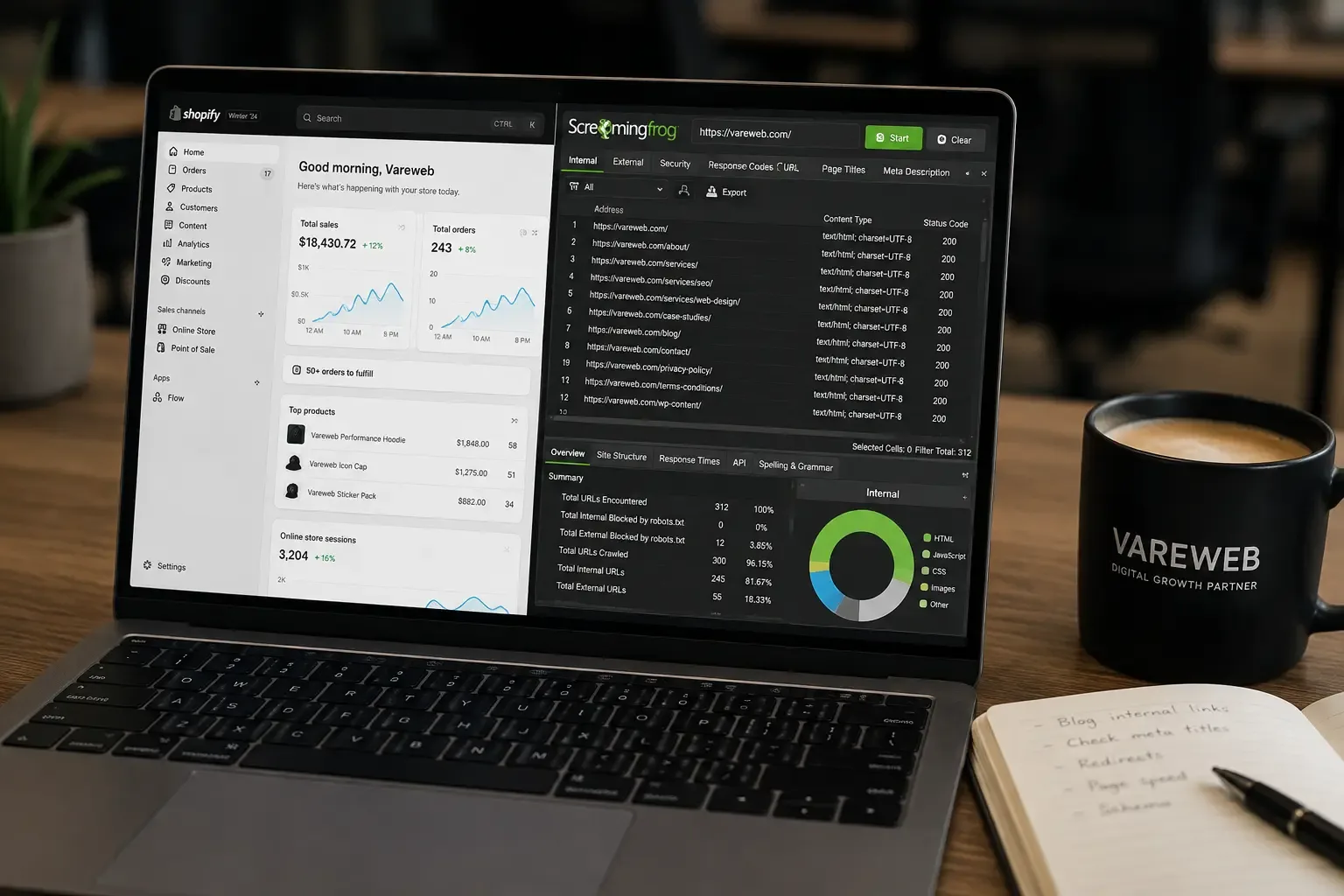
- Crawl the whole store with an actual crawler, not just a spot check. I need the full URL inventory - every collection-path duplicate, every tag combination currently indexed - before I can tell you what is actually happening versus what the theme is supposed to do.
- Pull Search Console's coverage report and compare indexed page count against the real catalog size. A 200-product store with 40 indexed pages tells me almost everything I need to know before I've looked at a single page directly.
- Check the storefront password and robots.txt.liquid first, always - because if the store is accidentally blocking itself, nothing else on this list matters until that is fixed.
- Spot-check three or four collection pages for unique content, and three or four product pages for unique descriptions - not the whole catalog, just enough to establish whether thin content is a pattern or an exception.
- Run a mobile PageSpeed Insights test on the homepage, a collection page, and a product page - three different template types, because a fast homepage tells you nothing about a slow product page.
- Count installed apps against what actually shows up in the page source as a loaded script. The gap between those two numbers is usually where the real speed problem is hiding.
That first pass usually takes under an hour and tells me which of the twelve issues to prioritize for that specific store - because while the list is the same across almost every audit, the severity ranking rarely is.
The 12 Issues I Keep Finding, and How to Fix Each One
1. Duplicate Product URLs From Collection Paths
What it is: Shopify generates two working URLs for the same product: the clean /products/[handle] version, and a collection-aware version, /collections/[collection]/products/[handle]. Both resolve. Both can get indexed. Both can accumulate separate signals instead of consolidating into one ranking page.
Why it happens: Shopify's theme templates typically link to products through the collection-aware path by default, because it preserves the "you are here" context for the collection you were browsing. That's a UX decision, not an SEO one, and Shopify never retrofitted it with automatic canonicalization strong enough to fully prevent duplication across every theme. The practical effect: a product that sits in three collections can end up with four indexable URLs pointing at the same content - the clean version plus one collection-path variant per collection it belongs to - each one capable of earning its own backlinks, its own crawl history, and its own fragment of ranking signal that should have gone to a single page.
The fix that actually works: Confirm your theme's product.liquid template sets a self-referencing canonical tag pointing to the clean /products/[handle] URL, not the collection-path variant. Most modern Shopify themes do this correctly out of the box, but customized or older themes frequently don't - I've found this broken more often on inherited or heavily modified themes than on stock ones. Then go further than the canonical tag alone: update internal links in your navigation, collection grids, and related-product blocks to point directly to the clean product URL. A correct canonical tag helps Google understand your preference. It doesn't stop the duplicate URL from existing, and Google's own canonicalization guidance is explicit that consistent internal linking to the preferred URL reinforces the signal a canonical tag sends on its own.
2. Uneditable Tag Pages and Filter/Facet Duplication
What it is: Tag-based collection URLs - /collections/shoes/red, /collections/shoes/red+size-10 - are Shopify's native way of handling filters. They're largely uneditable directly in the admin panel, and every new filter combination a shopper can select generates another crawlable, indexable URL.
Why it happens: Shopify auto-generates a URL for every tag and filter combination applied to a collection, with no built-in limit on how many combinations exist. A collection with eight filterable attributes can spin off thousands of near-duplicate URL variants, almost all showing the same core product set with a slightly different subset filtered in or out. Multiply that across every collection in a large catalog, and the crawl budget cost is real - Googlebot spends time on filter permutations nobody searches for instead of the pages you actually want ranked.
The fix that actually works: Not every filter combination deserves to be indexed. Reserve indexing for combinations with genuine, individual search demand - "red running shoes," if that's an actual search term people use - and apply canonical tags pointing back to the parent collection, or noindex directives, on the rest. This typically requires editing the collection template's Liquid logic or configuring it through Shopify's Search & Discovery app, plus decisions in robots.txt.liquid for filter parameters you never want crawled at all. This is genuinely one of the fixes that needs theme-level access - an SEO app installed without any Liquid changes usually can't touch this on its own.

3. Thin Collection Pages With No Unique Content
What it is: The default Shopify collection template shows a product grid and nothing else - no copy, no context, no reason for Google to associate the page with a category keyword beyond the H1.
Why it happens: Shopify's collection template was built to sell, not to rank. It's optimized for a shopper who already knows what they want and just needs to browse. That's a reasonable default for conversion. It's a real liability for a page competing against a well-optimized competitor's category page for a commercial search term - Google has nothing to match against the query beyond a heading and a grid of product thumbnails.
The fix that actually works: Add genuinely useful content above or below the product grid - buying guidance, key differentiators between products in the collection, answers to the questions shoppers actually have before choosing. I go deeper on the specific structure that works in How to Optimize Ecommerce Category Pages for SEO in 2026, but the short version: write it like a human helping someone decide, not like boilerplate written to hit a word count. A collection page with 200 words of real buying guidance consistently outperforms one with 800 words of padded, generic filler in what I've tested head to head - length was never the variable that mattered.
4. Weak or Duplicate Product Descriptions
What it is: Manufacturer-supplied product copy, pasted in unchanged, identical across dozens or hundreds of other stores selling the same item.
Why it happens: It's the path of least resistance at launch, especially for stores with large catalogs added quickly through a supplier feed or dropshipping app. Nobody sits down and rewrites four hundred product descriptions during a launch sprint, and once the store is live and selling, going back and rewriting them stops feeling urgent - until you notice a competitor with identical inventory consistently outranking you on the exact same products.
The fix that actually works: Prioritize by revenue, not catalog size. Rewrite descriptions for your top-selling and highest-margin products first, add FAQ blocks addressing real pre-purchase questions, and implement Product schema (JSON-LD) so rich results - price, rating, availability - become eligible in search. This is exactly the kind of prioritization work that separates ecommerce-specific SEO from generic SEO: a blog-focused SEO plan has no equivalent decision to make about which of four hundred near-identical product pages to fix first.
5. Slow Page Speed and Poor Core Web Vitals
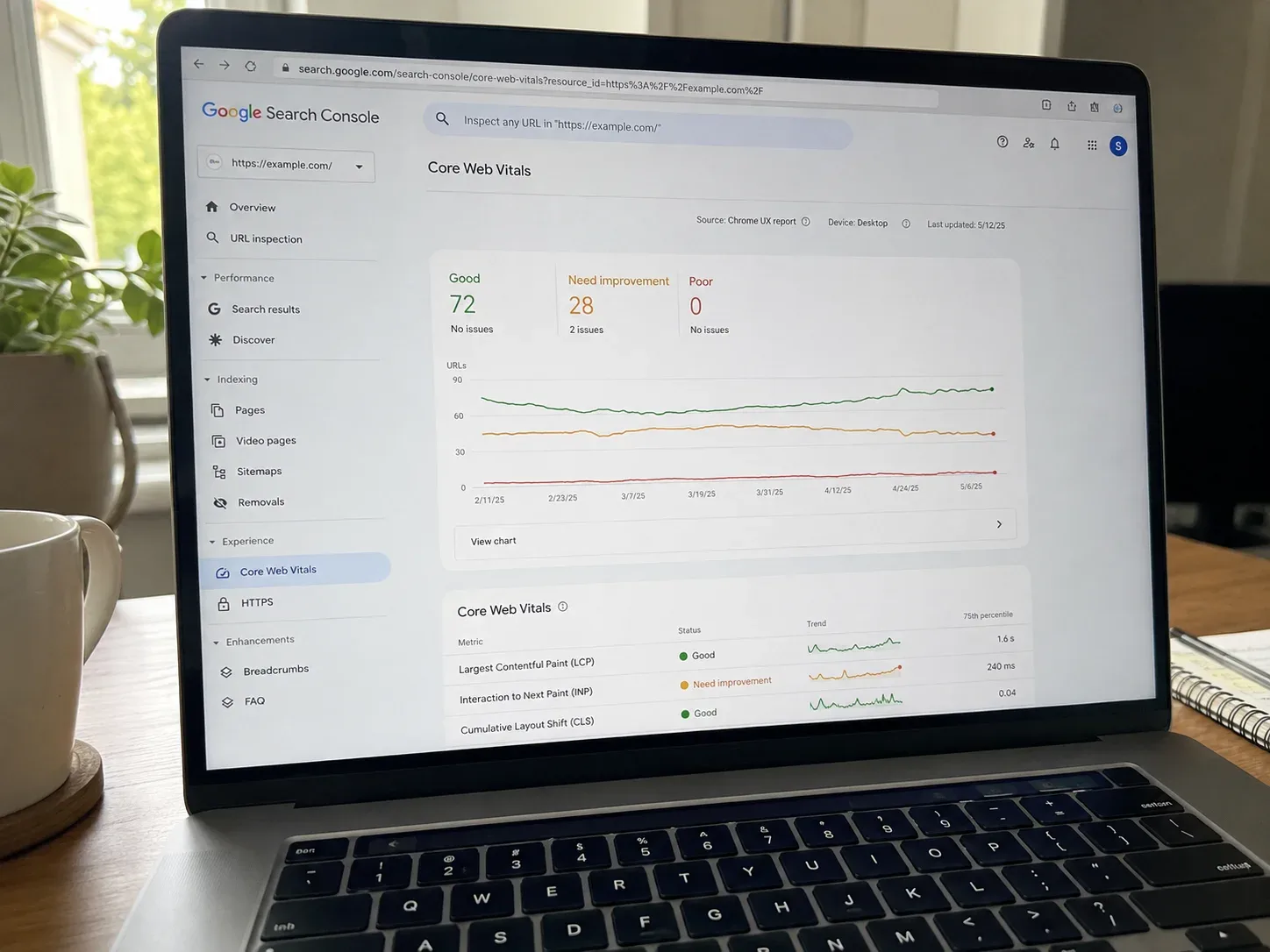
What it is: Failing Core Web Vitals scores - specifically LCP (how fast the main content loads) and INP (how fast the page responds to interaction) - usually traced back to unoptimized hero images, heavy themes, and too many installed apps each injecting their own script.
Why it happens: Shopify's own infrastructure is fast. What sits on top of it usually isn't. Shopify's App Store now lists 28,512 apps published by 17,808 vendors, and installing even a handful of the wrong ones - each adding its own JavaScript, each running on every page regardless of whether it's needed there - is the single most common cause of slow Shopify stores I encounter in audits. Review apps, upsell popups, and third-party chat widgets are the usual repeat offenders, each contributing a script tag that fires on every single page load whether or not that page has anything to do with reviews, upsells, or chat.
The fix that actually works: Audit every installed app against what it's actually doing on each page, and remove anything solving a problem you no longer have. Convert images to WebP (Shopify's CDN supports this natively), lazy-load everything below the fold, and set explicit width and height on every image element to prevent layout shift. Target LCP under 2.5 seconds and CLS under 0.1, measured at the 75th percentile of real user sessions, not a single lab test on a fast connection. I've written a deeper breakdown of what actually moves these numbers in How Important Is Page Speed for SEO in 2026? - the short version is that app discipline typically produces a bigger single improvement than any front-end tweak on its own.
Bloated Theme? Too Many Apps? We Rebuild It Clean.
Vareweb's Shopify development team fixes canonical logic, strips dead app scripts, and rebuilds slow themes for real Core Web Vitals - not just a lab score. Most rebuilds ship in 2-4 weeks.
6. Weak Internal Linking Between Blog, Collection, and Product Pages
What it is: Blog content that ranks and drives traffic but never links into the collection or product pages it's actually relevant to - and collection pages that don't reciprocally link back to related content.
Why it happens: Most Shopify themes only build navigation-level and product-grid-level links by default. Nothing in the platform prompts a merchant publishing a blog post to also think about which commercial pages that post should support. I see this most often on stores where content and commerce were built by different people, or at different times - the blog exists to satisfy a content calendar, the collections exist to sell, and nobody ever connected the two on purpose.
The fix that actually works: Build a genuine hub-and-spoke structure. Every blog post should link to at least two relevant collection or product pages, using descriptive anchor text rather than "click here" or a bare URL. Collection pages should link down to featured or bestselling products. Product pages should link back up to their parent collection and to closely related products. Audit this quarterly, not once - new blog posts and new products both create fresh linking opportunities that quietly go unused if nobody's assigned to catch them. This is fundamentally a site-architecture decision, and I go into more depth on why it compounds over time in Why Website Structure Matters for SEO and User Retention - the pattern holds whether the page in question is a blog post or a category page.
7. Missing or Conflicting Structured Data
What it is: Incomplete, duplicate, or entirely absent schema markup - the structured data format that tells Google, and increasingly AI search systems, what a page actually contains: a product, its price, its availability, its review rating.
Why it happens: Themes and apps both generate schema independently, and when a merchant has both a theme with built-in Product schema and an app that also injects Product schema, the result is often duplicate or conflicting markup rather than clean, single-source data. Some themes skip schema for less common page types - FAQ, breadcrumb - entirely.
The fix that actually works: Implement clean Product, FAQPage, and BreadcrumbList schema through the theme's product.liquid and related templates, check for duplication if you're running an app that also generates schema, and validate the result with a structured data testing tool before considering it done. This is exactly the layer I've covered from the design side in How Schema Markup and Web Design Work Together - clean schema is as much a template decision as it is an SEO checklist item.
8. Accidental Deindexing
What it is: A store that's fully live, fully functional, and completely invisible to search - because it's still password-protected past launch, or because a stray noindex tag or robots.txt rule is quietly blocking key pages.
Why it happens: Shopify stores default to password-protected during setup, and it's a genuinely easy step to forget to disable at launch, especially on a rushed go-live. A theme update or app installation can also silently reintroduce a noindex tag or robots rule that was previously removed. This is the issue with the least visible symptoms and the most damage - unlike a slow page or a thin collection, a deindexed store doesn't look broken to anyone browsing it. Traffic just quietly stops, and by the time someone notices, weeks have usually passed.
The fix that actually works: Check Search Console's indexing report on a real cadence, not just when traffic looks off. Confirm the storefront password is removed before or immediately at launch, and put it on the launch checklist itself rather than trusting memory. Review robots.txt.liquid directly after any theme update or major app install, since this is exactly the kind of change that happens silently and only shows up as a symptom weeks later.
9. Pagination and Infinite Scroll Issues
What it is: Paginated collection URLs (?page=2, ?page=3) creating thin or duplicate indexed pages when canonical handling isn't correct, or infinite-scroll implementations that hide products from crawlers entirely because there's no crawlable URL underneath the scroll behavior.
Why it happens: Infinite scroll is a UX pattern chosen for conversion and browsing convenience, not for crawlability, and it's frequently implemented without a parallel, crawlable paginated URL structure sitting underneath it. Without that, Googlebot - which doesn't scroll - only ever sees the first batch of products. I've audited large catalogs where the visible collection showed 400 items but the crawlable version, the one Google actually indexed, stopped at the first 24.
The fix that actually works: If you're using standard pagination, verify canonical tags on ?page=2 and beyond point appropriately - either self-referencing or consolidated to the root collection URL, depending on your indexing strategy - and keep the pagination crawlable rather than JavaScript-only. If you're using infinite scroll, make sure a crawlable, paginated URL structure still exists underneath it, even if most users never see it directly. This is a decision that belongs in the UX design phase, not patched in afterward, and I've covered the layout choices that support this from the design side in 10 Best UI/UX Design Tips for Good Core Web Vitals.
10. Redirect Chains and Handle Changes
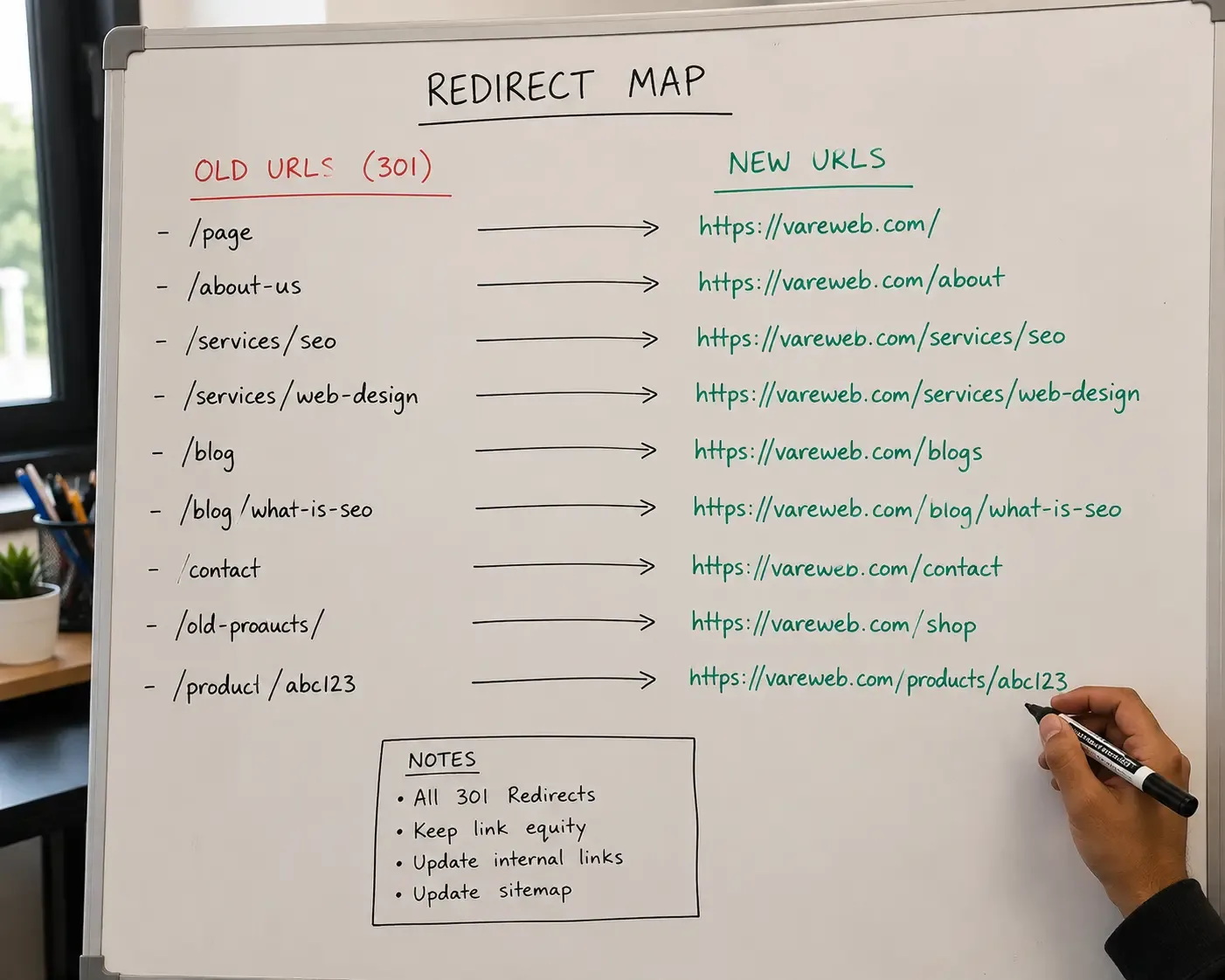
What it is: Renaming a product or collection handle changes its URL. Without a 301 redirect from the old URL to the new one, that page's accumulated rankings and backlinks are gone the moment the change goes live - not gradually, immediately.
Why it happens: Handle changes often happen casually - a rename during a rebrand, a collection restructure, a product relaunch - without anyone treating it as the SEO event it actually is. Redirect chains compound the problem: A redirects to B, which later redirects to C, and now Googlebot is following two hops to reach content that should have been one.
The fix that actually works: Always set up a 301 redirect from the old handle to the new one before publishing any URL change, not after. Periodically crawl the site specifically to catch existing redirect chains and flatten them to a single hop. If you're planning anything larger than a single handle change - a full URL restructure, a platform migration, a domain move - the same discipline applies at scale, and I've laid out the complete process in How to Migrate Your Website Without Losing SEO Rankings.
Twelve Issues Is a Lot to Fix Alone
Our Ecommerce SEO team handles the full list - canonical fixes, schema, content, redirects - so your store stops leaking rankings to its own architecture instead of to a competitor.
11. No Hreflang for International or Multi-Region Stores
What it is: Stores selling into multiple countries or languages without hreflang annotations, leaving search engines to guess which regional or language version of a page to show a given searcher.
Why it happens: Multi-region Shopify setups - Shopify Markets, separate domains, or subfolder structures - don't automatically wire up hreflang correctly in every configuration, and it's an easy detail to miss entirely on a store that expanded into new markets after the original build. I see this constantly on stores that started single-market and bolted on a second country later, where hreflang was never part of the original technical spec because it didn't need to be yet.
The fix that actually works: Implement hreflang attributes across every regional or language version of a page, referencing every alternate URL, including a self-reference. Set geotargeting in Search Console where it applies. Test the implementation rather than assuming it's correct - hreflang errors are notoriously silent; nothing breaks visibly, rankings just quietly go to the wrong regional page for the wrong audience, and the only way you'll catch it is by actually checking which URL ranks for a given market.
12. Weak Metadata From Theme Templates
What it is: Auto-generated, duplicate, or generic title tags and meta descriptions across collection and product templates - often just the product name with no differentiation, repeated identically in pattern across the entire catalog.
Why it happens: Theme defaults generate metadata programmatically from product and collection titles, which is a reasonable fallback but a poor final state. Most merchants never revisit it after launch, and it's easy to see why - it doesn't break anything visibly, it just quietly underperforms on click-through rate for years without anyone noticing the pattern.
The fix that actually works: Manually write unique title tags (under roughly 60 characters) and meta descriptions (under roughly 155 characters) for your top revenue pages first, then work down the priority list by traffic and conversion value rather than trying to rewrite the entire catalog at once. This is slow, unglamorous work, and it's also one of the highest click-through-rate improvements available on pages that are already ranking but not getting clicked - which makes it one of the best returns on effort of anything on this list, precisely because it requires no code changes at all.
Priority Order: What to Fix First
Not all twelve issues carry equal weight, and fixing them in the wrong order wastes effort. Here is the sequence I actually follow on a real audit:
- Fix indexing blockers first. Accidental deindexing, broken canonicals, and robots.txt errors override everything else - nothing you do to content or internal linking matters if Google cannot index the page in the first place.
- Fix duplicate and thin content next. Collection-path duplication, tag-page proliferation, and thin collection copy are all fighting for the same ranking signal against your own pages. Consolidate before you build anything new on top.
- Fix performance third. Page speed and Core Web Vitals affect crawl efficiency and user experience simultaneously - a fast, indexable, non-duplicated site is the actual foundation everything else compounds on.
- Build ongoing improvements last. Internal linking, structured data, content depth, and metadata are genuine, compounding improvements - but they perform best on a technically clean foundation, not underneath unresolved structural problems.
How Often to Re-Audit
A full technical audit belongs on the calendar every six months, or immediately after any major change - a theme update, a URL restructure, a new app installation, a platform migration. Beyond that, a 30 to 60 minute monthly check of Search Console for new crawl errors, coverage issues, and unexpected indexing drops catches most problems before they compound into a quarter of lost traffic.
Theme updates and app installs are the two events most likely to silently reintroduce an issue you already fixed. I've seen a clean canonical setup get quietly overwritten by a theme update six months after the original fix, with nobody noticing until the next audit caught it. Treat re-auditing as maintenance, not a one-time project - the stores that stay clean are the ones where someone owns this on a schedule, not the ones that wait for a traffic drop to go looking.
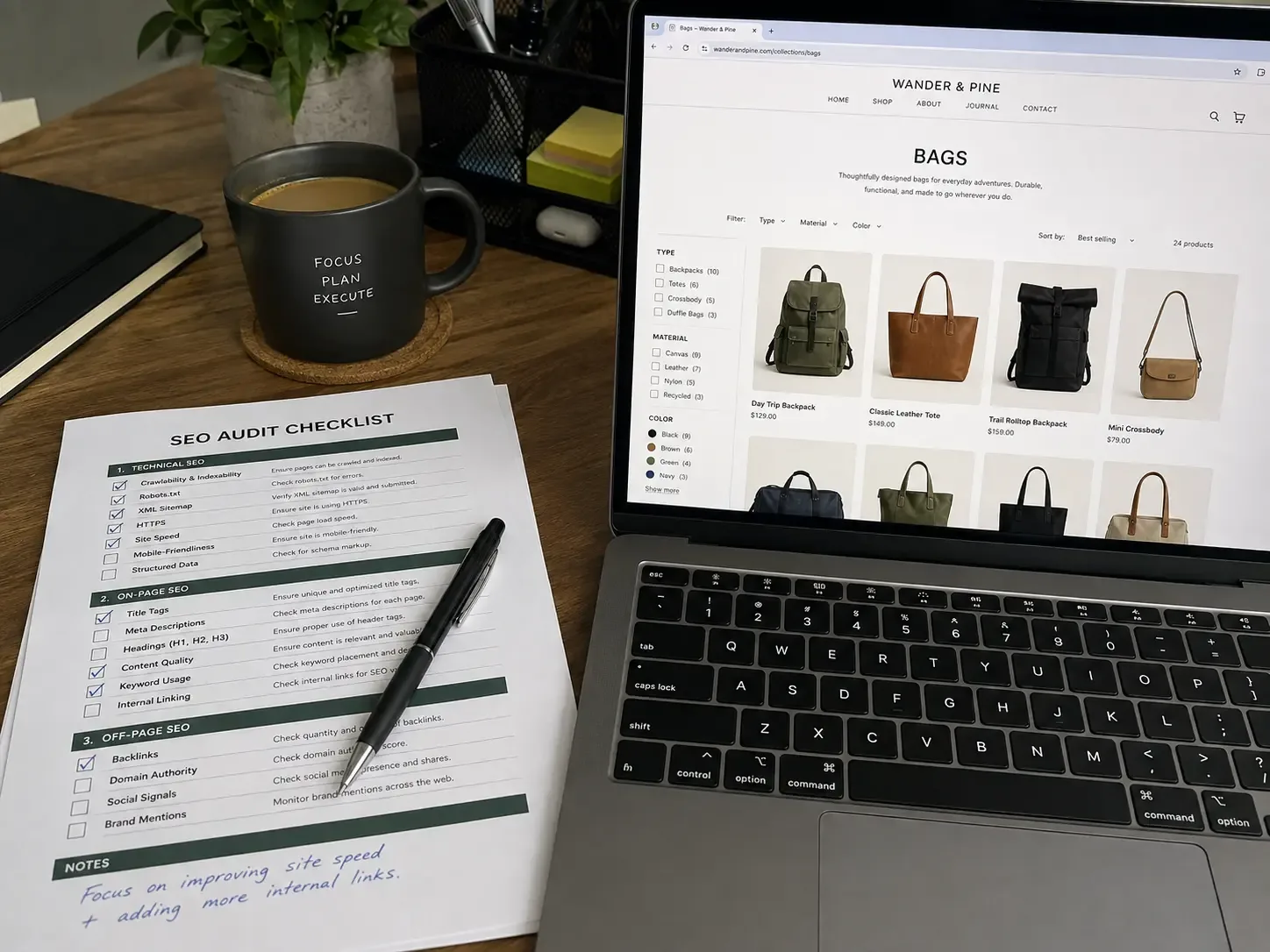
Practical Checklist
☐ Are collection-path product URLs canonicalized to the clean /products/ URL?
☐ Do tag and filter pages have canonical tags or noindex applied where appropriate?
☐ Does every collection page carry unique, human-written content above or below the grid?
☐ Are product descriptions original, not copied from supplier or manufacturer feeds?
☐ Have unused apps been removed and Core Web Vitals tested on a real mobile connection?
☐ Is there a genuine hub-and-spoke internal linking structure between blog, collection, and product pages?
☐ Is Product, FAQPage, and BreadcrumbList schema implemented and validated?
☐ Has the store been checked for stray password protection or noindex tags post-launch?
☐ Are paginated and infinite-scroll collection URLs handled correctly for crawlability?
☐ Are all handle and URL changes redirected with 301s before publishing?
☐ Are hreflang tags implemented for every multi-region or multi-language store?
☐ Are title tags and meta descriptions unique on top revenue pages?
Frequently Asked Questions
What's the most common Shopify SEO issue?
Thin or duplicate collection pages, hands down. A product grid with zero unique copy is the single most frequent finding across every audit I run, regardless of store size or industry.
Can I fix Shopify SEO issues without a developer?
Some, yes - metadata, collection copy, and app cleanup are all doable in the admin panel. Canonical logic, facet handling, and schema implementation genuinely need theme or Liquid access, and pretending otherwise usually produces a half-fix.
Do Shopify SEO apps fix structural issues automatically?
No. Most SEO apps handle metadata fields and basic sitemap generation well. They don't touch collection-path duplication, facet proliferation, or theme-level schema conflicts - those live in the code, not in an app's settings panel.
Why do my collection pages not rank even though my store gets traffic?
Traffic to your homepage or brand terms doesn't mean your collection pages are indexed or ranking for commercial keywords. Check Search Console's coverage report specifically for those URLs - thin content and duplicate paths are the usual cause.
Does changing a product handle hurt SEO?
Only if you skip the redirect. A handle change without a 301 redirect loses that page's rankings and backlink equity immediately. With a proper redirect in place, the impact is minimal.
How often should I audit my Shopify store for SEO issues?
A full technical audit every six months, or immediately after a theme update, app install, or URL change. A monthly Search Console check catches most problems before they compound.
Can too many apps really hurt my rankings?
Indirectly, yes - through page speed and Core Web Vitals, which are both ranking and user-experience factors. Each additional app is additional JavaScript running on every page, whether or not that specific page needs it.
Is Shopify bad for SEO?
No. Shopify is a fast, reliable platform with real SEO strengths - stability, speed, and PCI compliance handled automatically. The issues in this guide are platform defaults that need active management, not evidence the platform itself is a poor choice.
Ready to Fix What's Capping Your Rankings?
Vareweb builds and fixes Shopify and WooCommerce stores end to end - technical SEO, content, and the development work underneath it. One team, accountable for the whole result.

Written by
Kashaf
Kashaf is a veteran SEO specialist with deep expertise in AI SEO, generative engine optimization, ORM, web strategy, and marketing automation. With a Master's in Computer Science, he blends search strategy with technical insight into websites, automation workflows, and AI-driven platforms, helping brands dominate traditional search while adapting to the future of AI-powered discovery.