Quick Answer: The 12 best teamwork tools for web designers in 2026 are Figma, Relume, Penpot, Spline, Builder.io, Linear, Slack, Notion, Ruttl, Loom, Playbook and Zeplin, and each covers a different layer of the workflow. You do not need all twelve: the strongest teams run a small, governed stack built around a design hub like Figma, with contextual client feedback and a human-reviewed bridge into code. No tool creates a good workflow on its own, because ownership, design-system discipline and approval stages decide whether the stack works.
Here's the reality of how a modern design stack should work in 2026: the design file is no longer the finish line. In my experience leading the team at Vareweb, the biggest bottleneck is rarely the design itself. It is the feedback loop surrounding it.
The platforms know it. Figma's Q2 2026 results say over 50% of paid customers with more than $10,000 in ARR were using the Figma agent weekly as of July 31, 2026, so AI is already inside the daily workflow. That is a vendor-reported figure, and it says nothing about the quality of what those agents produce.
This guide places each tool in the workflow, names the problem it solves and tells you when to skip it. The tool is not the system. The rules around it are.
The Best Tool Stack Still Needs the Right Team Behind It
Tools don't fix slow feedback loops or unclear ownership. Vareweb's designers and developers work as one team, so your site goes from wireframe to launch without the handoff chaos this article is about.
Quick Comparison: 12 Teamwork Tools at a Glance
| Workflow category | Tool | Best teamwork use | Key integration or output | Main limitation |
|---|---|---|---|---|
| Design and prototyping | Figma | Shared design source of truth | Dev Mode, Code Connect, MCP server | Plan and seat rules; needs library discipline |
| Design and prototyping | Relume | AI-assisted sitemaps and wireframes | Export to Figma, Webflow, React | AI structure needs manual validation |
| Design and prototyping | Penpot | Open-source or self-hosted design | Native tokens, CSS Grid and Flex layouts | Smaller ecosystem than Figma |
| Design and prototyping | Spline | Interactive 3D and motion | Web, React and Next.js embeds | Performance cost if unmanaged |
| AI design-to-code | Builder.io | Design-to-code inside existing repos | Figma designs, Git branches, tokens | Output needs code review |
| Delivery coordination | Linear | Designer and developer work tracking | GitHub, Slack, AI agents | Not built for client-facing review |
| Delivery coordination | Slack | Notification and automation layer | Workflow Builder, app integrations | Poor as permanent documentation |
| Delivery coordination | Notion | Briefs, decisions, design-system docs | AI meeting notes, search, agents | Pages go stale without owners |
| Feedback and async | Ruttl | Comments directly on live websites | Jira, Slack, Trello, Asana, ClickUp | Can invite endless revisions |
| Feedback and async | Loom | Async walkthroughs and bug reports | Slack, Figma, Jira; transcripts | Long videos replace clear writing |
| Assets and handoff | Playbook | Searchable, shared brand assets | AI tagging, REST API, MCP | Governance is still manual |
| Assets and handoff | Zeplin | Formal handoff and token governance | Jira, Storybook, VS Code, MCP | Duplicates Dev Mode for many teams |

What a Modern Web Design Stack Needs
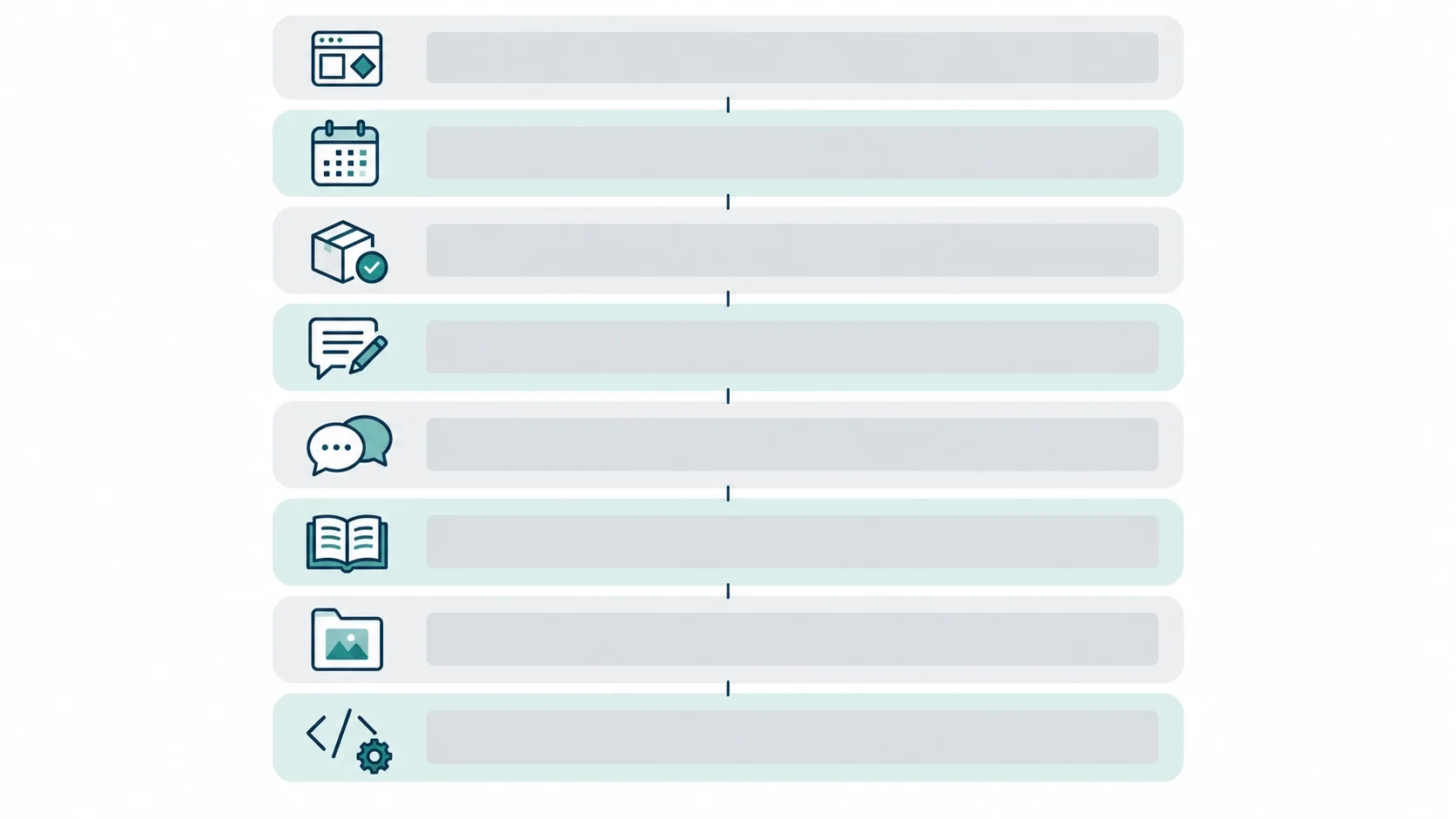
A credible 2026 stack needs eight distinct layers. Each layer has a different owner and a different failure mode.
- Design source of truth: approved components, variables, prototypes and states.
- Planning layer: sitemap, content structure, wireframes and early client alignment.
- Delivery layer: tasks, ownership, dependencies and development status.
- Feedback layer: comments attached to the correct page, screen or staging build.
- Communication layer: async walkthroughs and decision records.
- Knowledge layer: requirements, design-system documentation, meeting records and SOPs.
- Asset layer: searchable, permission-controlled brand and media files.
- Implementation layer: tokens, code components, design context and repository connections.
One tool can cover several layers, but overlap does not create a coherent workflow. Keeping design decisions, component states, implementation notes and client approvals connected is fundamental to our web design services, because delivery breaks down fast when design and engineering work from different versions of the truth.
A good stack also follows the whole path: discovery, sitemap, wireframes, visual design, prototypes, design system, client feedback, developer readiness, implementation, QA and launch notes. The goal is not to buy all 12 tools. It is to pick the smallest integrated stack that supports how your team really works.
The Modern Stack: 12 Best Teamwork Tools For Web Designers
Design and prototyping
1. Figma: Core Collaborative Design and Developer Context
Open any messy handoff and you will usually find the same culprit: a file nobody can confidently call final.
- Best for: collaborative interface design with developer context built in. It belongs as the visual source of truth, not as the home for tasks or client approvals.
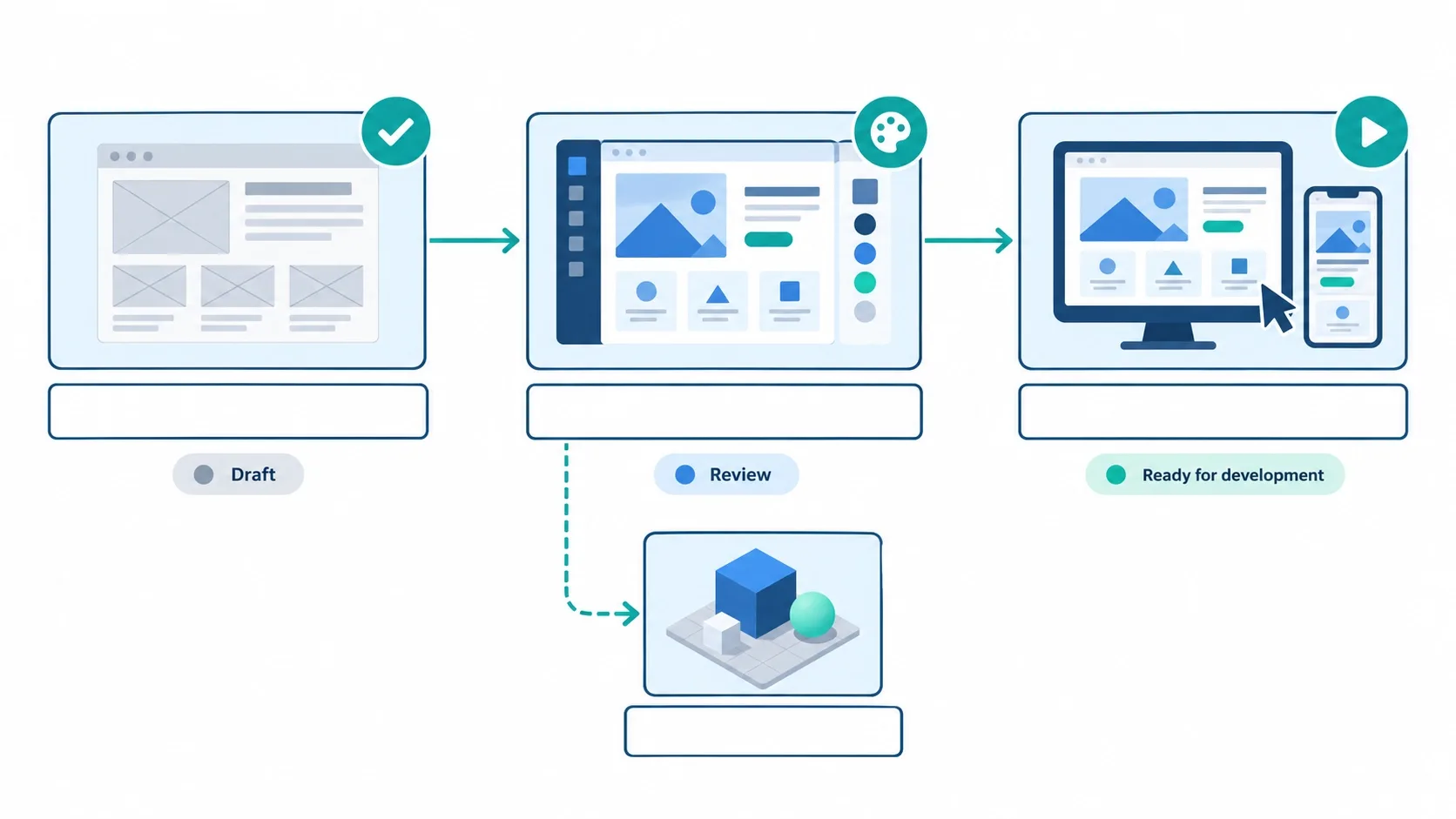
- How to run it: shared libraries, components and variables for tokens, and a ready-for-dev status only when empty, error, loading, hover, focus and responsive states exist.
- 2026 AI and automation: Dev Mode offers ready-for-dev statuses, annotations and Code Connect, which maps design components to real production components. The Figma MCP server gives coding agents structured design context, and Figma recommends its remote server.
- Main limitation: Dev Mode improves handoff but does not replace a conversation with the developer. On Figma's pricing page, Professional is $12 per editor monthly on annual billing and the free plan caps projects and members, so confirm seat requirements for Dev Mode first.
- Skip it if: you need open-source control or self-hosting.
- My verdict: design-system discipline is the heart of good UI/UX design, and Figma rewards it or punishes its absence. Detached components, unnamed layers and several "final-final" pages will wreck it.
Need a Design That Converts, Not Just a Clean Figma File?
Vareweb's UI/UX team designs around your buyer's journey, from user flows to page layouts to call-to-action placement, and hands over designs that developers can build without guesswork.
2. Relume: AI-Assisted Sitemaps and Wireframes
Most projects lose a week before design starts, arguing over page structure in a document nobody can see.
- Best for: AI-assisted sitemap planning and early client alignment. It sits between requirements and high-fidelity design.
- How to run it: gather business, audience, conversion, SEO and content requirements, generate a first sitemap, review page purpose and hierarchy by hand, then convert only approved structure into wireframes.
- 2026 AI and automation: Relume generates sitemaps and wireframes from a prompt, and its site says projects export to Webflow, Figma and React.
- Main limitation: an AI sitemap does not know your search intent, navigation depth, content ownership or platform constraints. I covered where the line sits in Where AI Fits in the Web Design Process (And Where It Doesn't).
- Skip it if: your information architecture is already signed off.
- My verdict: the AI draft is not the approved architecture. Use it to accelerate the first version, never to decide it.
3. Penpot: Open-Source Design and Code Collaboration
Some teams cannot send client files to a US-hosted SaaS, and that is where Penpot earns its place.
- Best for: open-source workflows and self-hosted control. I position it as an alternative to Figma, not a companion.
- What it offers: the Penpot repository lists an MPL-2.0 license and self-hosting options, and the product offers native design tokens, CSS Grid and Flex layouts, an inspect view and an open MCP server.
- How to run it: pick it as your single design source of truth when procurement, data location or code-oriented design systems matter.
- Main limitation: inspectable CSS is not production architecture. Developers still adapt it to existing components, breakpoints, accessibility and framework conventions.
- Skip it if: you already pay for Figma and have no open-source requirement. Running both without a declared source of truth only splits your files.
4. Spline: Collaborative Interactive 3D and Motion
Not every website needs 3D. When one does, a shared 3D file beats a stack of exported videos.
- Best for: interactive product scenes, branded 3D moments and motion-rich pages.
- How to run it: designers and 3D artists work in the same browser file, and developers embed scenes with the spline-viewer component or through React and Next.js.
- 2026 AI and automation: Spline's site advertises an AI agent working alongside you in the editor, and it is free to start.
- Main limitation: a collaborative tool does not remove performance budgets. Test transfer size, texture weight, GPU demand, mobile behavior, reduced-motion fallbacks and keyboard access before approval.
- Skip it if: your 3D idea cannot survive a mid-range phone. My colleague Kashaf, Vareweb's SEO Manager, lists the interface choices that protect load speed in UI/UX design tips for flawless Core Web Vitals.
AI design-to-code
5. Builder.io: AI-Assisted Design-to-Code Collaboration
The demo shows a Figma frame becoming a page in seconds. The demo will not show you the pull request review.
- Best for: teams that want generated UI to land inside an existing repository.
- 2026 AI and automation: Builder says it builds from Figma designs or an existing repo, wires its canvas into your components and design tokens, and pushes work as a branch in your Git workflow.
- How to run it: agree on component architecture first, then review generated output for semantic HTML, accessibility, responsive behavior, token usage, state, data fetching and performance.
- Main limitation: generated code that ignores your design system saves time today and costs more at maintenance.
- Skip it if: you have no component system to generate against.
- My verdict: design-to-code tools are accelerators, not code owners.
Project and delivery coordination
6. Linear: Designer and Developer Work Tracking
A design file cannot tell you who is blocked. A tracker can.
- Best for: teams where designers and engineers share one delivery cycle.
- How to run it: one project per initiative, with issues for information architecture, responsive components, accessibility review and ready-for-development, and sub-issues for the hero component, CMS fields and cross-browser QA.
- 2026 AI and automation: Linear's site describes delegating issues to AI agents that open pull requests for review, plus intake that turns conversations into issues.
- Main limitation: it is not a client-facing review tool. Keep client comments elsewhere and promote accepted items into Linear.
- Skip it if: you are a solo freelancer. A simple task list does the job.
Skip the Handoff Gap: Design and Development Under One Roof
At Vareweb the same team designs and builds your site, with feedback captured early at the wireframe stage. No outsourcing and no lost context between design and code.
7. Slack: The Notification and Automation Layer
Slack should tell the team that something changed. It should not be the only place where the change is documented.
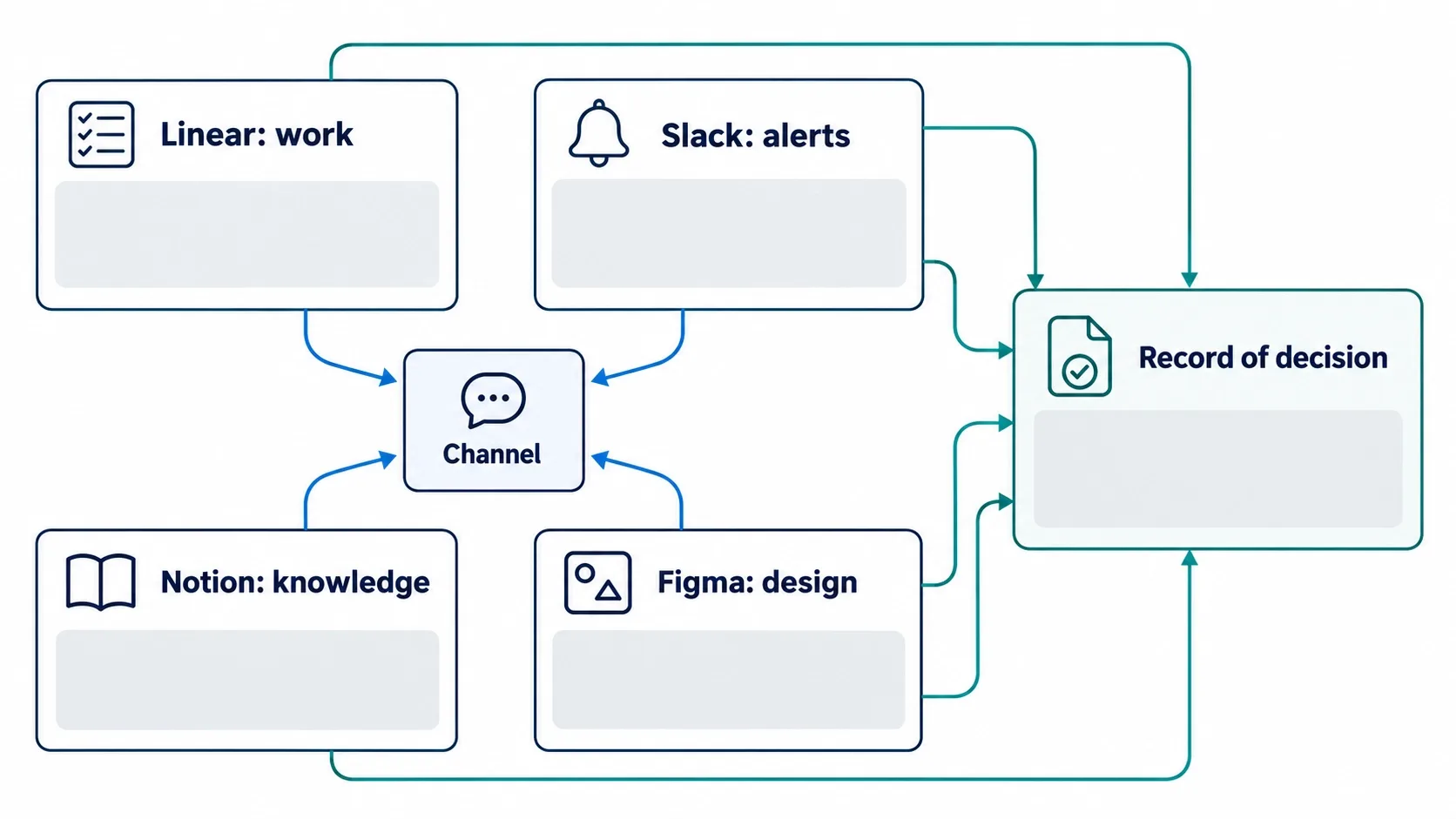
- Best for: routing Figma, Linear, Loom and Ruttl notifications into dedicated channels for decisions, delivery, QA and clients.
- 2026 AI and automation: Slack AI summarizes channels and threads, Workflow Builder automates intake and approvals, and AI features come with all paid plans. Slack also states it does not train large language models on customer data.
- Main limitation: final requirements, approved decisions, design-system rules and canonical client feedback do not belong in chat history.
- Skip it if: your team is two people on one thread.
8. Notion: Project Knowledge and Design-System Documentation
Every agency has a decision somebody made in a meeting that nobody can find six months later.
- Best for: durable context: briefs, decision logs, content models, accessibility rules, component usage guidance and SOPs.
- 2026 AI and automation: the Notion AI page lists AI meeting notes, search across connected apps and agents. AI is included in Business and Enterprise plans, and credits apply to Custom Agents starting May 4, 2026.
- Main limitation: stale pages. Assign an owner and a review date to every critical page.
- It should not replace: Figma for visual files, Linear for active work, GitHub for code or a feedback tool for page-specific comments.
Feedback and async communication
9. Ruttl: Contextual Feedback on Live Websites
"Make the logo bigger" is not feedback. A comment pinned to the logo at a mobile width is.
- Best for: contextual feedback on live or staging pages and on images and PDFs.
- 2026 AI and automation: Ruttl's site shows pixel-level comments on live websites, clients reviewing without signing up, task assignment, and links into Jira, Slack, Trello, Asana, Zapier and ClickUp.
- How to run it: share one approved staging URL, state what feedback you need, set a deadline, require element-level comments, assign owners, merge duplicates, separate bugs from change requests, lock the round and move accepted work into your tracker.
- Main limitation: it reduces ambiguity, not scope. Treat comments as input, not an unlimited revision channel. Markup.io is a comparable alternative.
- Skip it if: your clients are fine with a single tracked document.
10. Loom: Async Design and Development Walkthroughs
Three people in different time zones do not need a 30-minute call to hear one design rationale.
- Best for: prototype walkthroughs, bug reproduction, development demos and client training.
- 2026 AI and automation: Loom offers transcripts and captions in 50+ languages, comments and tasks on videos, and workflows that turn a recording into a doc, SOP or Jira ticket.
- Replace a meeting when: the update is one-way, time zones differ, visual context matters and no instant decision is needed.
- Keep the meeting when: the issue is sensitive, several departments must negotiate, the problem is still vague or a blocker needs resolving now.
- Main limitation: a 25-minute monologue is not documentation. Keep it short, add a written summary and list the actions.
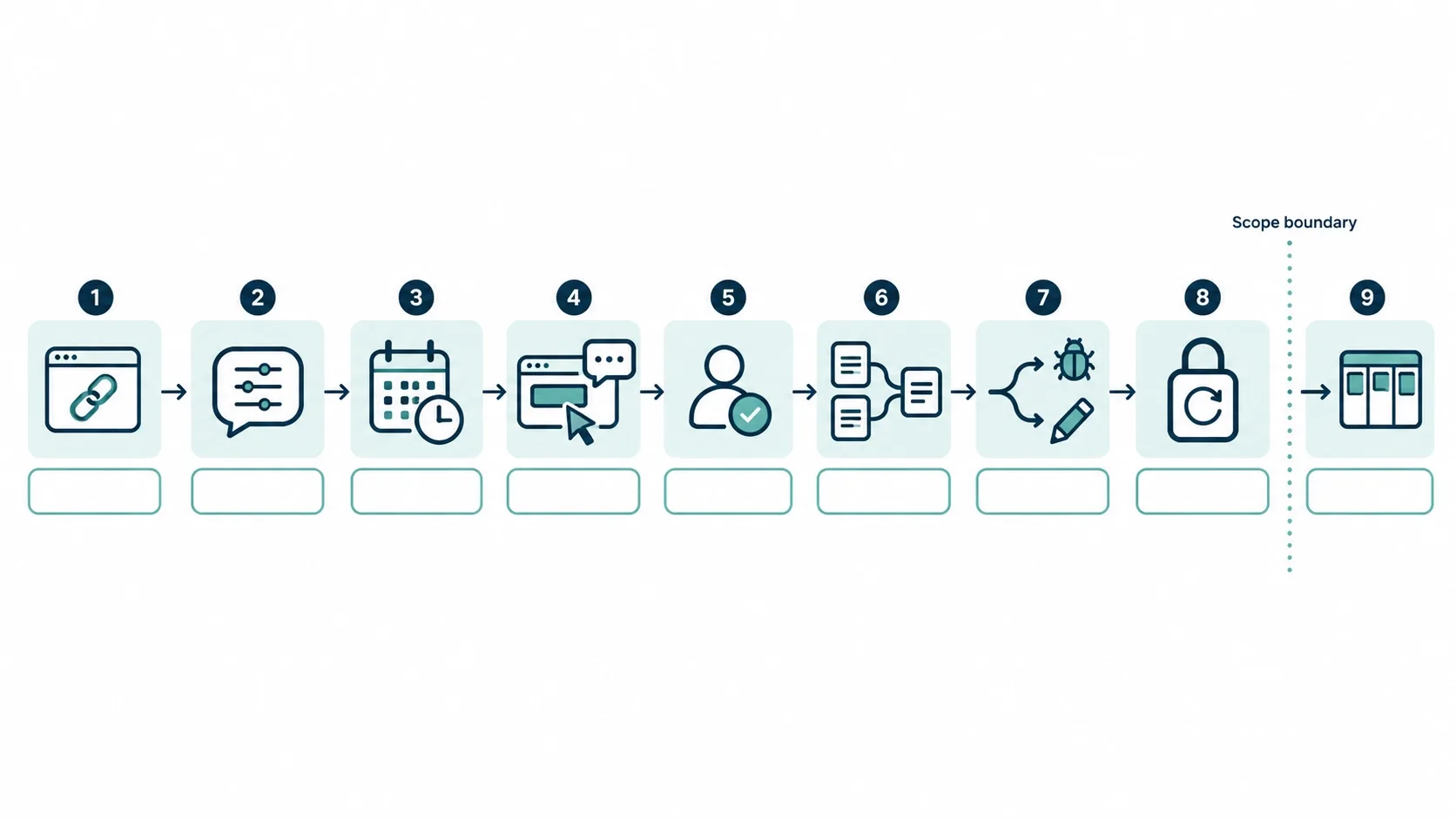
Asset and handoff governance
11. Playbook: Collaborative Digital Asset Management
The wrong logo file reaches production more often than the wrong code does.
- Best for: teams with growing volumes of photography, icons, video and brand files.
- 2026 AI and automation: Playbook auto-tags files, searches by visual content, offers password-protected links with expiry dates, and connects to AI tools through MCP and a REST API. Listed pricing runs from a free tier to $10 per member monthly on Pro and $20 on Team, billed yearly.
- How to run it: use statuses (draft, internal review, client review, approved, archived, replaced) and record naming, licensing, usage rights, expiry, file type, dimensions and approved status.
- Main limitation: AI tagging improves retrieval but does not replace governance. Eagle is a lighter, local-first alternative for solo designers.
- Skip it if: your asset library fits in one tidy cloud folder.
12. Zeplin: Enterprise Handoff and Token Governance
If Figma Dev Mode already handles handoff, why add Zeplin? Usually, you should not.
- Best for: formal handoff, multi-platform product teams and enterprises that separate exploration from approved delivery.
- 2026 AI and automation: Zeplin publishes selected frames, keeps tokens in Styleguides, and offers AI design review that flags off-system colors, spacing, typos and accessibility issues, plus an MCP server.
- How to run it: add it only when it solves a governance problem Dev Mode does not already solve for you, such as locked specs, token management or approval controls.
- Main limitation: otherwise it is duplicate tooling and another subscription to maintain.
- Skip it if: your Figma team ships from Dev Mode without friction.
You Probably Do Not Need All 12
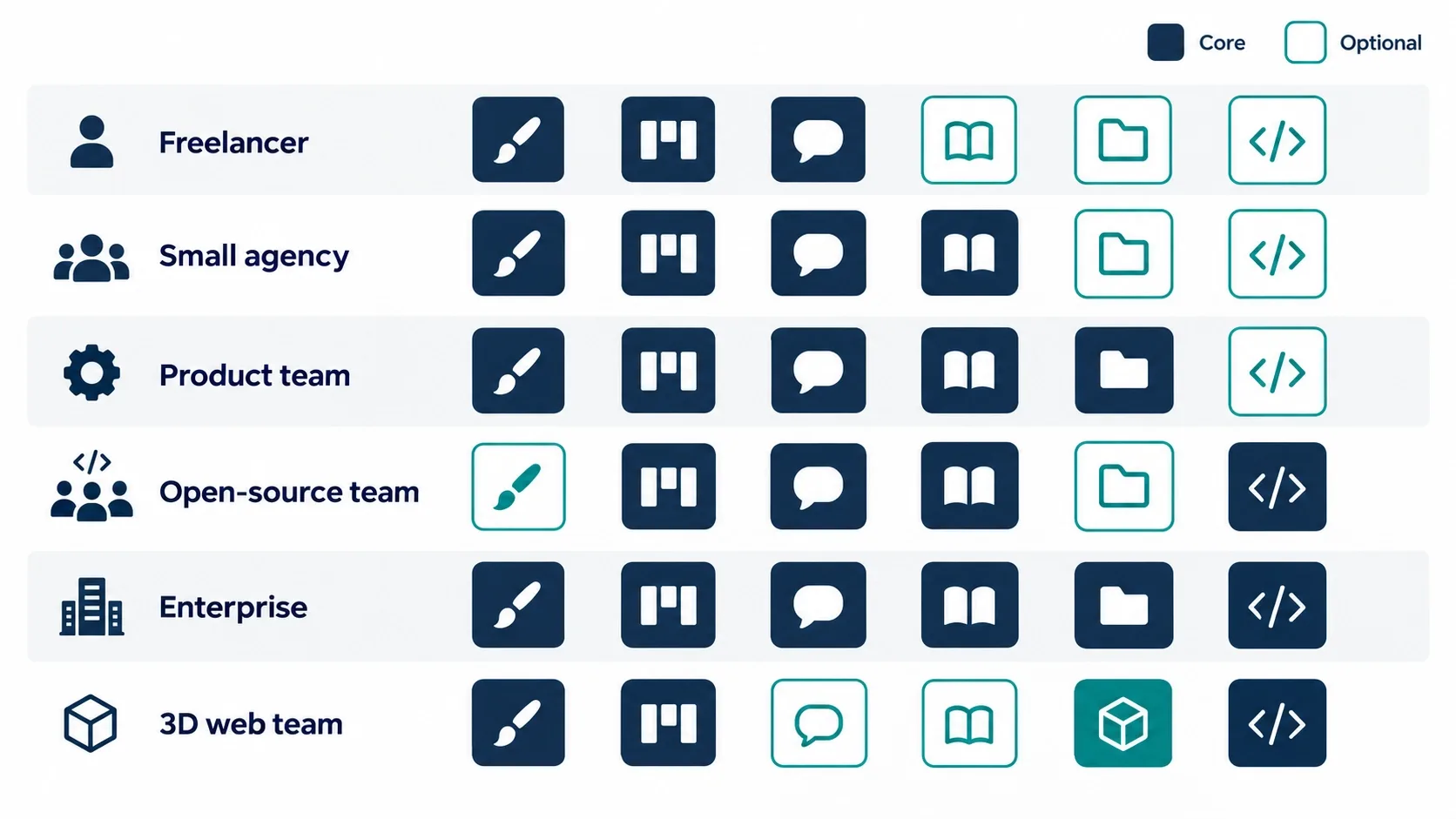
Fewer, well-integrated tools usually beat a big stack with overlapping owners. Start from your team type.
| Team type | Recommended core stack | Add only when needed |
|---|---|---|
| Solo freelancer | Figma, Notion, Loom, Ruttl | Relume for fast sitemap drafts |
| Small web design agency | Figma, Relume, Linear, Loom, Ruttl, Notion | Playbook when asset volume gets unmanageable |
| Design and engineering product team | Figma, Linear, Slack, Notion, Loom | Builder.io after testing its code against your component system |
| Open-source or self-hosted team | Penpot, Linear or an open alternative, Notion or self-hosted knowledge base, a feedback tool | Nothing until the base is stable |
| Enterprise design organization | Figma, Linear, Slack, Notion, Loom | Zeplin for formal governance; Playbook or an enterprise DAM |
| Web team producing interactive 3D | Figma, Spline, Linear, Loom, Ruttl | Performance budget tooling before more design tools |
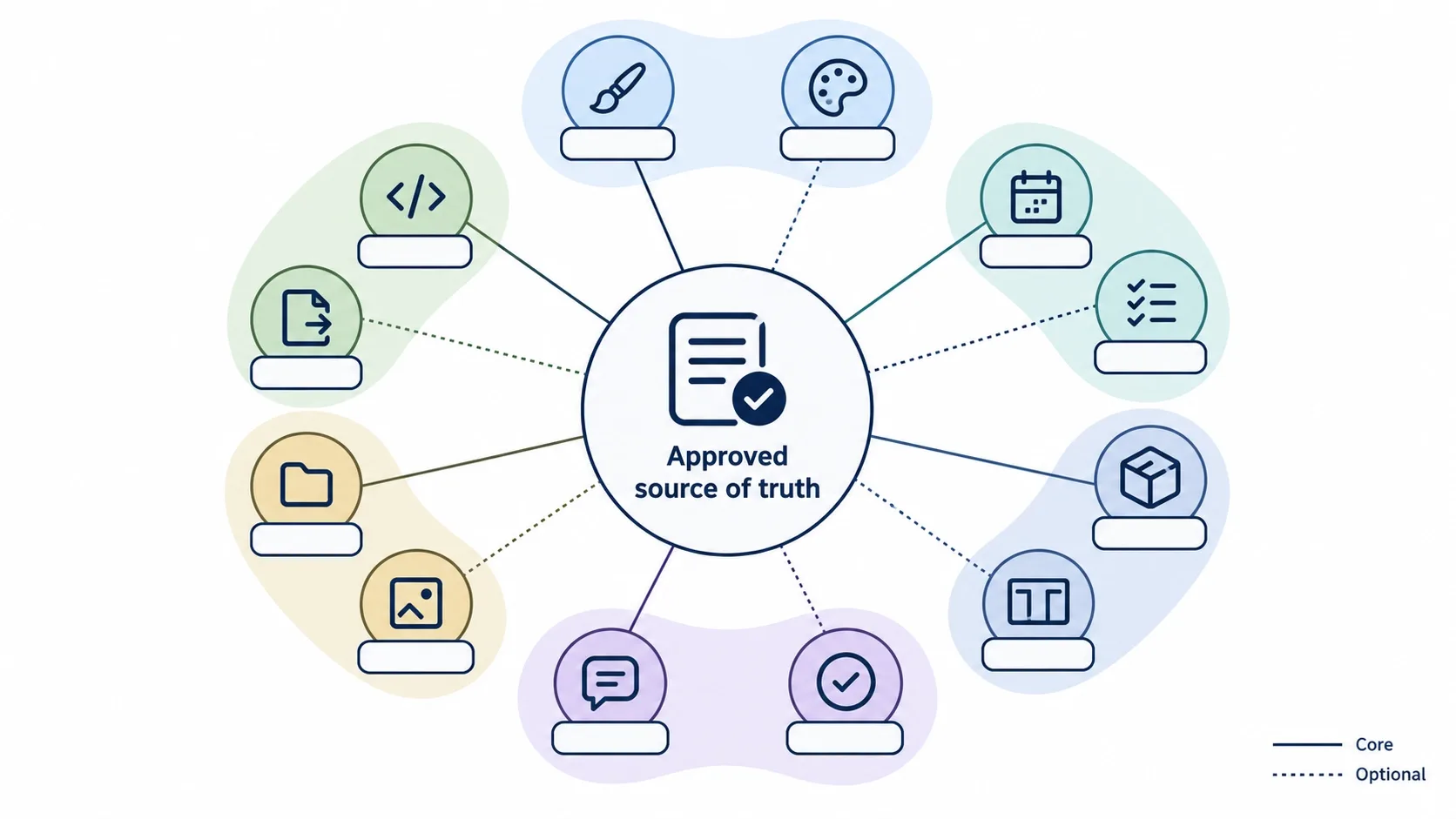
How I Evaluate a Teamwork Tool Before Adding It
Whenever a new design tool enters the stack, the first thing I check is how well its API, webhooks or MCP layer connect with the systems our developers already use.
- Workflow fit: which exact problem does it solve, who owns it and what process does it replace?
- Integration quality: API, webhooks, GitHub or Jira links, usable exports, and a way to leave without losing records.
- Version and approval control: can anyone identify the approved version, and do permissions separate viewers, reviewers and editors?
- AI quality: what does the AI receive, can you edit and verify the result, can you restrict it and is your data used for training?
- Security: SSO, SCIM, role-based access, audit logs, retention, data residency and client confidentiality.
- Cost: per-seat price, guest costs, AI-credit limits, migration cost and training time. The cheapest tool becomes expensive if nobody uses it properly.
How the 12-Tool Stack Connects on a Real Project
Now look at the workflow. This is a generic agency sequence, and no project needs every step.
- Requirements and decision records start in Notion.
- Relume drafts the sitemap and wireframes, and the team validates the structure manually.
- Approved wireframes move into Figma, where designers use shared components, variables and responsive states.
- Spline joins only if the project truly needs interactive 3D.
- Linear tracks design, development, QA and launch work, while Loom explains complex decisions asynchronously.
- Dev Mode or Zeplin exposes approved specs, and Builder.io may speed up code that developers review and refactor.
- Playbook supplies approved brand assets.
- The staging site goes into Ruttl, and accepted feedback becomes tracked work.
- Slack distributes alerts, and final decisions return to Notion.
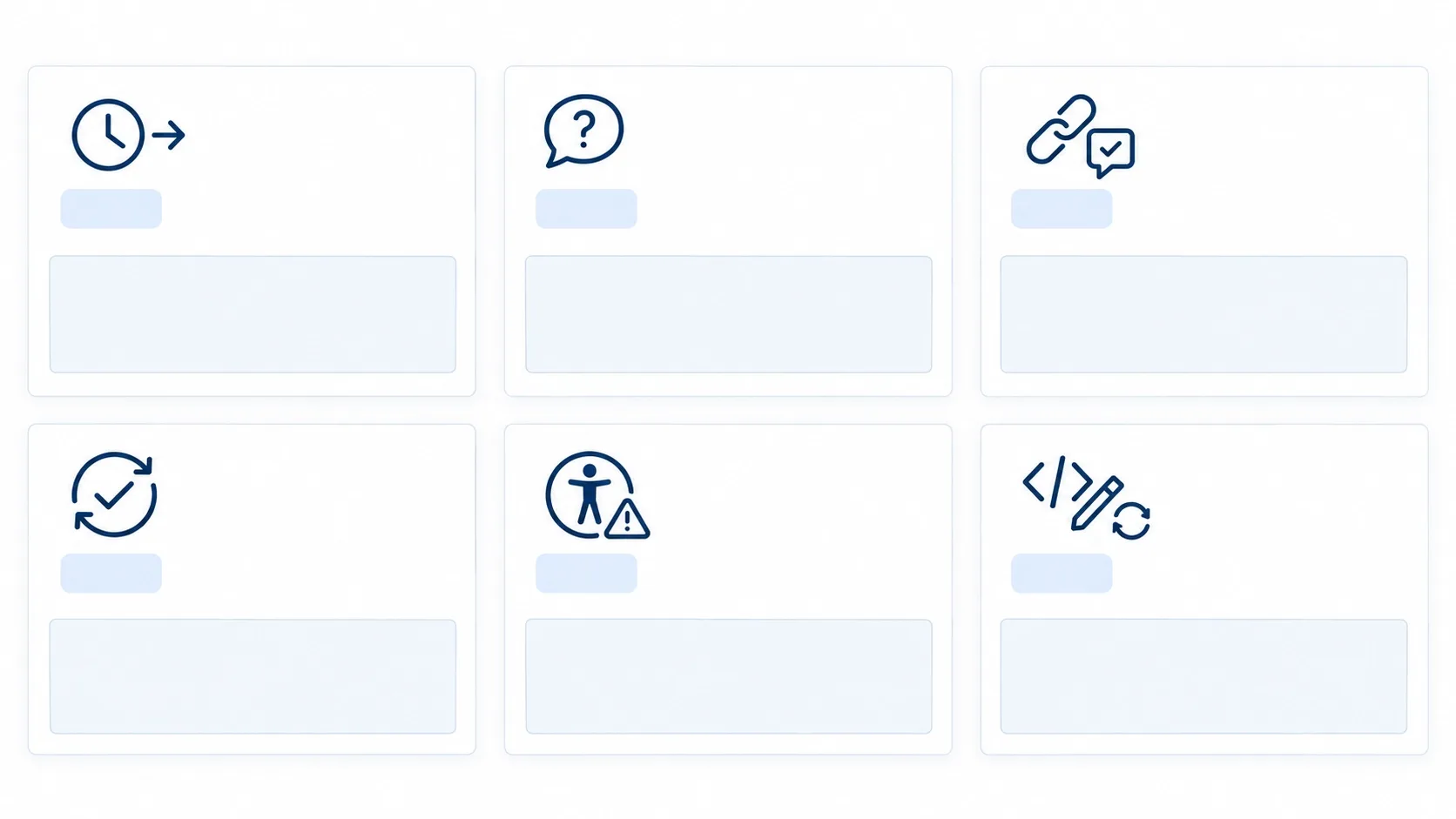
AI Did Not Eliminate Developer Handoff - It Changed It
The old model was static screens, redlines and designers "finishing" before developers appeared. The modern one is shared components, semantic tokens, responsive constraints, documented states and implementation review on staging.
A polished prototype means very little if the developer cannot identify the correct component, token, state or approved version. Generated code makes this more important, not less.
AI can accelerate the first draft. It cannot own the final judgment. The 2026 Stack Overflow survey found that 48% of respondents trust AI output only when they can easily verify it, which is the right instinct.
So review generated frontend code for DOM structure, semantic HTML, component boundaries, token usage, accessibility tree, hydration, main-thread JavaScript and render-blocking scripts. Check it against the Core Web Vitals targets: LCP within 2.5 seconds, INP of 200 milliseconds or less and CLS of 0.1 or less.
On a Shopify theme build, the same discipline applies with Figma tokens, GitHub repository context and Shopify CLI. Checkout is a special case with its own limits, which I mapped in How to Customize the Shopify Checkout Page.
A design system is only a system if design and code share the same token values.
AI-Generated Code Still Needs Experts to Make It Fast and Accessible
Vareweb hand-codes sites from a blank canvas, with no templates or theme builders, and builds in Core Web Vitals, semantic HTML, and accessibility review from the start.
Where Collaboration Stacks Break
This is where the workflow starts to crack.
- Buying tools without defining ownership.
- Using Slack as permanent documentation, or keeping feedback in email.
- Allowing comments in several tools at once.
- Marking incomplete frames ready for development.
- Generating code before agreeing on component architecture.
- Letting AI wireframes decide information architecture.
- Keeping different token values in design and code.
- Using Figma and Penpot together with no declared source of truth.
- Storing approved and draft assets in the same folder.
- Treating Ruttl comments as unlimited scope.
- Ignoring accessibility until QA.
- Measuring tool adoption instead of delivery outcomes.
The stack is not integrated merely because every application can post into Slack.
How I Know the Stack Is Working
I do not trust benchmarks I did not measure, so I track outcomes instead of adoption.
- Time from approved wireframe to development-ready design.
- Developer clarification requests and changes after development begins.
- Share of client feedback attached to the correct screen or URL.
- Review-round length, duplicate comments and reopened issues.
- Design-system component adoption and late accessibility defects.
- Production mismatches between design and code.
- Meeting hours, async response time and time spent searching for assets.
- Generated code rejected or heavily rewritten.
Speed is not the only measure. A good stack also improves clarity, traceability, accessibility and developer confidence.
Practical Checklist
☐ One source of truth for visual design
☐ Everyone can identify the currently approved version
☐ Sitemap and wireframes validated before high-fidelity design
☐ Design tokens shared consistently between design and code
☐ Responsive, hover, focus, loading, empty and error states documented
☐ Developers can find production component references
☐ Every feedback item includes page and element context
☐ Client feedback separated from new scope
☐ Design decisions recorded outside chat
☐ Approved assets searchable and permission-controlled
☐ Every tool has a defined owner
☐ Integrations reduce duplicate entry
☐ AI-generated output reviewed by a qualified person
☐ Security and client-confidentiality settings documented
☐ Data can be exported if you leave a tool
☐ The stack reduces rework instead of adding activity
Want a Website Built Without the Tool Chaos?
Tell us what you're building. Vareweb handles design, development, and launch with clear approvals and fast turnarounds, so you get a site that looks right and performs. Book a free call to get started.
FAQs
What is the best free teamwork tool for beginner web designers?
For most beginners, Figma's free plan is the easiest start because design, comments and prototypes live together. I would pick Penpot instead when open standards or self-hosting matter more. Check the free-plan limits before you commit client work.
Do web design teams still need Zeplin if they use Figma Dev Mode?
Most do not. Add Zeplin only when you need formal governance, token management, multi-platform handoff or approval controls that Figma cannot give you comfortably.
How is AI changing collaboration between designers and developers in 2026?
AI now drafts sitemaps, wireframes and first-pass code, and agents can read design context through MCP servers. The cost is more review, because developers must verify generated output against the design system and the repository.
What is the best way to get client feedback on a live website?
Use a contextual tool such as Ruttl on one approved staging URL. Require element-level comments, set a deadline and lock the round so feedback does not become open-ended scope.
How can remote web design teams avoid endless Zoom meetings?
Use short Loom walkthroughs for one-way updates and keep meetings for sensitive or unresolved decisions. Write down every decision in your knowledge base so nobody needs a recap call.
Are AI code-generation tools replacing frontend developers?
No. They reduce repetitive production work but raise the value of frontend architecture, accessibility, code review, testing, performance and human design judgment.
What is the best project-management tool for design agencies?
It depends on your team. Linear suits agencies where designers and developers share one delivery cycle, while teams with heavy client reporting may prefer a different tracker. Pick the one your developers will actually keep updated.
Should a team use Figma and Penpot together?
Rarely. Pick one as the source of truth, and use the other only for a specific reason such as a client who requires open-source files.
How many collaboration tools does a small agency actually need?
Usually five or six: a design tool, a planning tool, a tracker, a knowledge base, a feedback tool and async video. Add more only to solve a named problem.
How do we stop Slack from becoming another source of chaos?
Give channels a purpose, send only meaningful alerts and record decisions in your knowledge base. Slack announces change; it should not store it.
What security questions should agencies ask before uploading client work to an AI tool?
Ask whether your data trains the model, how long it is retained and who can access it. Also check SSO, role-based access, audit logs, data residency, export and deletion, and whether your client contracts allow the upload.

Written by
Minhaj
Minhaj Ahmed is an experienced web and software development professional specializing in web applications, mobile apps, SaaS platforms, and AI-powered solutions. As Head of Development at Vareweb, he brings a strong software engineering background to building scalable digital products and automation systems. He writes about web development, mobile apps, AI, software engineering, and emerging technologies.